
TL;DR:
- Poor curation in education leads to chaotic resource collections that hinder learning and waste time. Properly curated resources, with clear goals, organization, and editorial context, transform collections into effective learning pathways. Regular reviews and thoughtful annotations ensure the collection remains relevant, engaging, and easy to navigate.
Poor curation is one of the most quietly damaging problems in education. You build up hundreds of bookmarks, download folders full of PDFs, share link after link with students — and then discover that nobody knows where anything is, including you. Learning stalls not because quality resources don't exist, but because they're buried under everything else. Knowing how to curate educational resources properly changes that. It turns a chaotic collection into a purposeful system that saves you time, builds your credibility, and genuinely helps people learn.
Table of Contents
- Key takeaways
- How to curate educational resources: start with clear goals
- Finding quality resources without drowning in content
- Organising and categorising your curated collection
- Adding editorial value: the sense-making phase
- Maintaining your collection over time
- What I have learned from watching curators get this wrong
- Share, sell, and scale your curated educational content
- FAQ
Key takeaways
| Point | Details |
|---|---|
| Start with clear goals | Define your teaching objectives and audience needs before collecting a single resource. |
| Separate discovery from organisation | Process new finds in dedicated sessions to avoid decision fatigue and workflow collapse. |
| Limit tags to 10–15 | A controlled tagging vocabulary keeps collections searchable and prevents tag sprawl over time. |
| Add editorial context | Annotating resources with your own insight is what separates curation from mere link dumping. |
| Review collections quarterly | Scheduled audits keep your library relevant, pruned, and genuinely useful for learners. |
How to curate educational resources: start with clear goals
Before you open a single browser tab or paste a single link, you need to answer one question: what is this collection actually for? Skipping this step is why most resource libraries collapse under their own weight within six months.
Begin by writing down your specific teaching or coaching goals. Are you building a course on digital literacy for secondary-school students? Coaching mid-career professionals through a career pivot? Creating a resource hub for adult learners returning to education? Each scenario calls for a completely different scope, tone, and depth of content. Being specific here is not pedantic. It is the only way to make every decision that follows easier and faster.
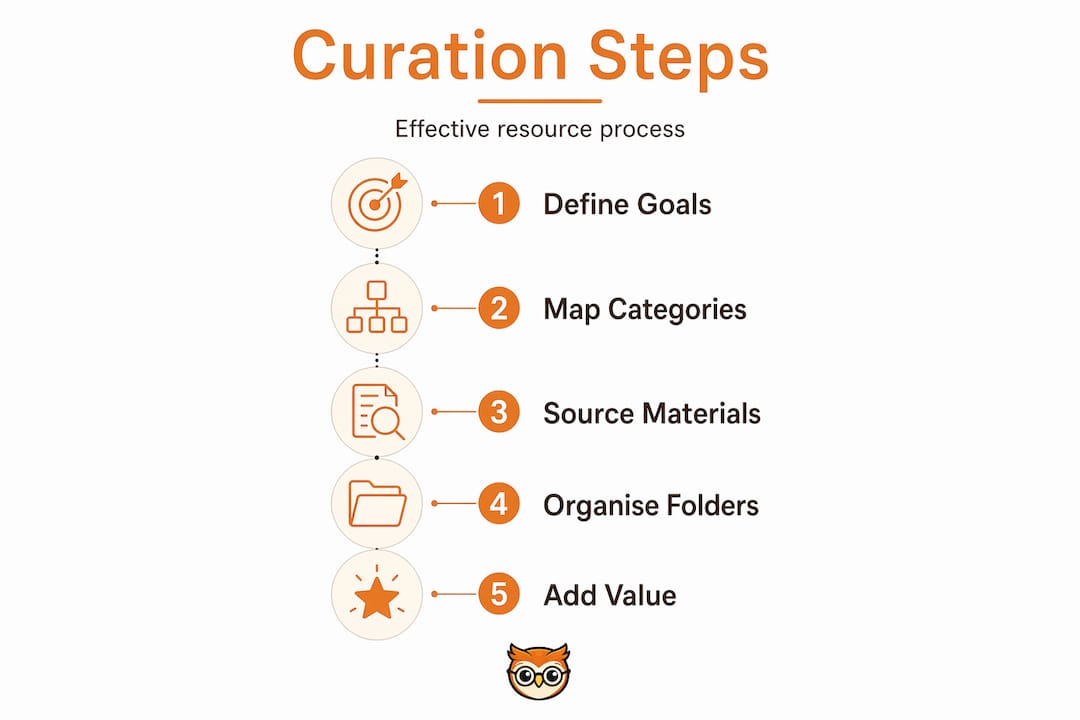
Next, consider your audience's learning level and prior knowledge. A resource that works brilliantly for a postgraduate student will confuse a beginner. Mapping this out prevents you from curating content that is technically excellent but practically useless for your learners.
Once you know your goals and audience, set your selection criteria. These are the filters every resource must pass before entering your collection:
- Relevance: Does this directly support a stated learning objective?
- Quality and accuracy: Is the source credible, well-researched, and up to date?
- Licensing: Is the resource free to use, share, or adapt, especially for Open Educational Resources (OER)?
- Format fit: Does the format (video, article, interactive tool) suit how your learners actually engage?
- Accessibility: Can all learners in your audience access and use this without barriers?
You also need to decide on your content balance from the start. Industry best practices recommend a mix of roughly 40% original content to 60% curated material. This ratio keeps your audience engaged while positioning you as a credible voice rather than just a librarian of other people's work.
Pro Tip: Write your goals and selection criteria in a single document and keep it open every time you curate. Treating it as a checklist, rather than a mental note, cuts the time you spend deliberating over individual resources by half.
Finally, map out three to five thematic focus areas that your collection will cover. These become your top-level categories and anchor everything else you build. Think of them as the chapter headings of the learning experience you are designing.
Finding quality resources without drowning in content
The internet offers an almost unlimited supply of educational content. That is the problem. Without a clear sourcing strategy, discovery sessions become three-hour rabbit holes that produce ten mediocre bookmarks and a headache.
The most reliable approach to sourcing is to build a short list of trusted repositories and return to them regularly rather than starting fresh searches every time. Here is a practical method for doing that:
- Identify three to five anchor sources for each thematic area. These might be specialist academic databases, subject-specific blogs run by practitioners, government education portals, or OER platforms. Quality over volume matters here. Trusted OER collections, for instance, require evaluation for accuracy, licensing, and relevance before anything enters your library.
- Set up RSS feeds or content alerts for those sources. Tools like Feedly or Google Alerts push new content to you rather than requiring you to hunt for it. This is how you stay current without spending hours searching.
- Join relevant professional communities. Subject-specific forums, educator networks, and LinkedIn groups are where practitioners share the resources they actually use. The signal-to-noise ratio is usually far better than a general web search.
- Schedule fixed discovery sessions. Block 30 to 45 minutes twice a week for sourcing. Do not let it bleed into the rest of your working day. Capping discovery sessions forces you to be selective rather than permissive.
- Use a capture tool consistently. A read-it-later app, a dedicated browser folder, or a shared workspace tool should catch everything you find in discovery. The point is not to evaluate during this phase. Simply save first, assess later.
This last point is more important than it sounds. Separating discovery from organisation prevents the cognitive overload that comes from trying to find, evaluate, and file content simultaneously. Each of those tasks uses a different kind of attention. Mixing them drains both.
Pro Tip: Allow yourself one "serendipity slot" per discovery session. This is ten minutes of free exploration with no agenda. Some of the best resources in any collection come from unexpected sources, and giving yourself formal permission to explore prevents you from feeling locked into the same five websites forever.
Also worth noting: not every newly published resource is a good one. Recency does not equal quality. A well-structured article from three years ago that directly addresses your learners' needs beats a flashy 2026 blog post that skims the surface. Apply your criteria every time, regardless of how current or popular something appears.
Organising and categorising your curated collection
Discovery is only half the work. A collection that is well-sourced but poorly organised is still unusable. This is where most educators lose the gains they made in the sourcing phase.
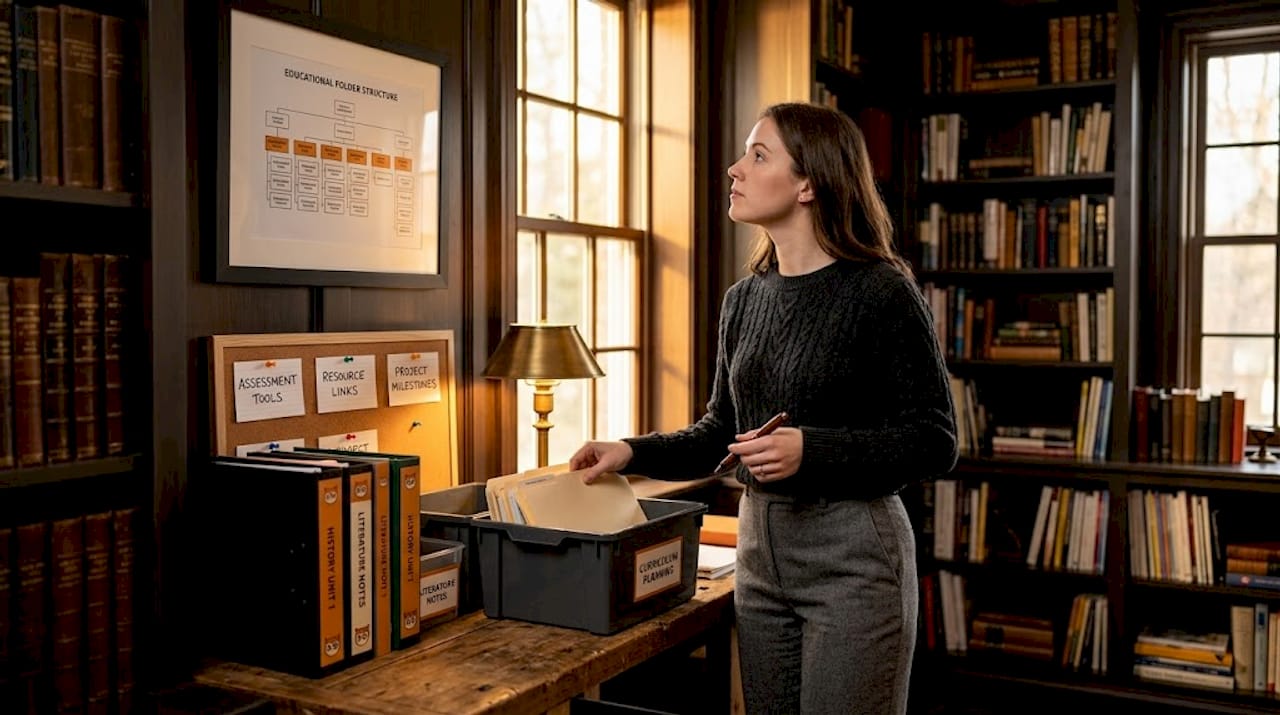
The single most common mistake is building complex folder hierarchies based on academic subject trees. It feels logical at the outset. In practice, it creates a system where you can never remember whether a resource lives under "Assessment" or "Pedagogy" or both, and you spend more time searching than teaching. Research supports a different approach: use a shallow folder structure of five to seven broad, top-level categories based on how you actually use the content, not on how it might be classified in a library catalogue.
Here is what a workflow-focused folder structure might look like for a secondary-school educator:
| Folder name | What goes here |
|---|---|
| Teaching resources | Lesson plans, slides, activity sheets |
| Student reading | Articles, videos, and interactive tools for learners |
| Assessment materials | Rubrics, sample answers, self-assessment tools |
| Professional development | Articles and courses for your own learning |
| Templates and frameworks | Reusable structures for planning and feedback |
Alongside folder structure, tagging is where most curators either save themselves or bury themselves. Limit your tag vocabulary to 10–15 core tags aligned with your active projects and review that list quarterly. More tags than that, and the system stops being a filter and starts being a second filing problem.
A few more principles for solid organisation:
- Use consistent naming conventions. A file named "reading-list-unit3-2026.pdf" is far more retrievable than "reading list final FINAL v2.pdf". Set a convention and apply it without exception.
- Annotate as you file. Add a one or two-sentence note to each saved resource explaining what it covers and which learning objective it supports. This takes 30 seconds per item and saves enormous amounts of time later. Learn more about this approach in our guide to creating annotated bibliographies.
- Build a student-accessible hub. Rather than sharing links individually, create a single landing page, shared document, or course module where learners find everything in one place. This reduces the "where do I find it?" questions significantly and improves the learning experience. For practical tips on managing library resources effectively, the principle of centralised access holds across every level of education.
Adding editorial value: the sense-making phase
Here is where most educators significantly underestimate their own contribution. Collecting quality resources is useful. But adding your own analytical framing is what transforms a list of links into a genuine learning pathway.
The "Seek, Sense, Share" model is one of the most cited frameworks in content curation. The "Seek" phase is discovery. "Share" is distribution. But the phase that most people rush past is "Sense". This is where you process what you have found, connect it to what your learners already know, and frame it in a way that makes the content meaningful rather than merely available.
"Effective curation adds personal context explaining why content matters now and what action to take, distinguishing professional curators." — Content curation best practices
What does this look like practically? When you share a resource, include a brief note covering:
- Why this resource matters now. Link it to current events, a recent class discussion, or an upcoming assessment.
- What learners should focus on. Point to the specific section, argument, or concept that is most relevant.
- What they should do with it. Should they summarise, debate, apply, or simply absorb?
- Your own perspective. Do you agree with the author? What would you push back on? Your honest opinion adds a dimension that no algorithm can replicate.
Strong editorial frameworks combining context, viewpoint, recommendations, and synthesis lead to higher audience engagement and better learning outcomes. A thematic digest of five to seven carefully annotated resources, each with a short contextual note, is far more effective than a list of twenty links with no commentary. In fact, 5 to 7 high-quality items per collection is the recommended upper limit for preventing decision fatigue in learners.
The format you choose for presenting curated resources also matters. Thematic digests, annotated reading lists, short video playlists with accompanying notes, or structured checklists all work better than undifferentiated bookmark dumps. The format should match the learning context and your audience's preferences.
Maintaining your collection over time
A resource library is not a project with a completion date. It requires ongoing attention, or it quietly becomes the very problem you set out to solve: outdated, unnavigable, and demoralising.
Here is a practical maintenance rhythm that works without consuming your calendar:
- Quarterly reviews. Set aside 90 minutes every quarter to audit your collection. Merge duplicate tags, delete resources that are no longer relevant, update outdated materials, and archive anything that has lasting value but is not in active use. Quarterly audits are the recommended schedule for keeping tag sprawl and content bloat under control.
- Archive, do not delete. Move outdated materials to an archive folder rather than removing them entirely. Templates, frameworks, and foundational texts often become relevant again. Keeping them accessible without cluttering your active library is a small discipline with a large payoff.
- Use feedback and analytics. If your resources live in a learning management system or online hub, look at which items learners actually engage with. Low engagement on a resource you thought was excellent is useful data. It might mean the resource is wrong, or the framing is wrong. Both are fixable.
- Set revisit triggers. When you save a resource, add a note or calendar reminder to revisit it after a set period, typically three to six months. This keeps you in active dialogue with your collection rather than just accumulating it.
- Train your learners (and co-educators). A well-organised collection only works if the people using it know how to navigate it. A short orientation, a one-page guide, or a brief walkthrough video removes the friction that stops learners from engaging with what you have built.
Pro Tip: Batch your curation tasks. Rather than responding to every interesting resource as you encounter it, set two scheduled "curation windows" per week for both discovery and maintenance. This prevents curation from bleeding into teaching preparation time and makes the whole system feel sustainable rather than like a second job.
You can also find practical support for this through our library management checklist, which covers the operational side of keeping digital resource collections in good shape.
What I have learned from watching curators get this wrong
I have worked with hundreds of educators, coaches, and content creators who set out to build excellent resource libraries and end up with digital attics instead. The same patterns repeat, and they are worth naming clearly.
The most common failure is mixing discovery and organisation in real time. It feels efficient. You find a resource, you file it immediately, you move on. In practice, it is the fastest route to burnout and a chaotic filing system. The cognitive cost of switching between finding and organising is real. Separate those phases and your whole workflow becomes lighter.
The second pattern I see constantly is over-curation. Educators feel that sharing more resources demonstrates more effort, more care, more value. It does not. It demonstrates that you have not done the editorial work of deciding what actually matters. A curated list of 30 resources is an abdication. A curated list of six, each with a clear annotation explaining its purpose, is a gift.
The third mistake is neglecting the sense-making phase entirely. Many educators collect and share but never add their own perspective. This is a missed opportunity. Your analysis, your disagreements, your recommendations. That is the thing your learners cannot get from a search engine. Content curation saves time and builds trust only when it is done with genuine editorial intent, not just aggregation.
The payoff for getting this right is real. A well-maintained, clearly annotated, student-accessible resource hub changes how learners engage with content. It signals that their time matters. It removes friction from the learning process. And it positions you, consistently, as someone worth following.
— BibliOWLteca
Share, sell, and scale your curated educational content
If you are building curated educational collections worth sharing, you deserve a platform that makes distribution as considered as the curation itself.

BibliOWLteca is built for educators, coaches, and content creators who want to turn knowledge into a sustainable digital business. Whether you are packaging curated reading lists, annotated e-book collections, structured courses, or thematic learning modules, the BibliOWLteca marketplace gives you the infrastructure to publish, sell, and deliver digital content globally. With built-in payment processing, tax compliance, and multi-currency support, you can focus on the quality of your curation rather than the mechanics of distribution. Explore what you can build and sell on BibliOWLteca today.
FAQ
What does it mean to curate educational resources?
Curating educational resources means deliberately selecting, organising, and annotating learning materials from various sources to serve a specific audience and set of learning objectives. It goes beyond collecting links by adding editorial framing that explains why each resource matters and how learners should use it.
How many resources should I include in a curated collection?
Research recommends 5 to 7 high-quality items per curated collection to prevent decision fatigue and encourage learners to actually engage with the content. Quality and annotation matter far more than quantity.
How do I keep my resource library from becoming outdated?
Schedule a 90-minute quarterly review to delete or archive irrelevant materials, update outdated content, and merge duplicate tags. Using learner analytics and feedback helps you identify which resources are genuinely useful and which can be retired.
What is the best way to organise curated resources?
Use a shallow folder structure of five to seven broad categories based on how you use the content, combined with a controlled vocabulary of 10 to 15 tags. Consistent naming conventions and brief annotations on each resource significantly improve long-term searchability and usability.
How do I add value when sharing curated resources?
Add a short contextual note to each resource explaining why it matters now, what learners should focus on, and what action to take. This sense-making step is what distinguishes professional curation from simple link sharing and directly improves learner engagement.