

Fix your headline and outcome summary first. Your course page needs a clear H1 built around the exact phrase buyers search for, paired with a concise summary that states who the course is for and what they walk away with. Everything else, schema, page speed, testimonials, only works once that summary exists, because it's what both buyers and AI answer systems read first. A platform with structured fields (pricing tiers, instructor bios, review displays) can support this without custom development.
TL;DR:
- Proper course landing pages must feature a clear H1 with the primary keyword and a concise outcome summary that matches visible content and expectations.
- Schema markup should include Course, Person, Review, and FAQ types with accurate, visible page information, avoiding mismatches that could lead to penalties.
- Technical issues like cohort duplication and slow page speed should be addressed through canonical tags, segmented sitemaps, compressed images, and deferred JavaScript to improve rankings.
- Structuring the website with a pillar page linking to modules and lessons targeting long-tail queries enhances crawlability and search visibility.
- Monitoring progress via Google Search Console and GA4 over 8 to 12 weeks helps assess ranking improvements and enrolment conversion, with business metrics improving over three to six months.
Table of Contents
- What goes on the course landing page for SEO and conversions
- Which schema markup should a course page use?
- How do you fix the technical issues that block course pages from ranking?
- How should you structure a course website for SEO?
- How do you measure whether course SEO changes are working?
- What we see go wrong on course pages, and the quick fixes
- Get your course page schema ready without hiring a developer
- Sources
- FAQ
What goes on the course landing page for SEO and conversions
Your H1 has one job: contain the primary keyword and state the outcome. "Learn Python" ranks for nothing useful. "Python for Data Analysts: Go From Spreadsheets to Automated Reports in 6 Weeks" targets a buying phrase and tells the reader exactly what changes for them.
Directly beneath it, write the outcome summary. Keep it concise, plain HTML text, not baked into an image or hidden behind a slider. State who the course suits, what they'll be able to do afterwards, and how long it takes. Discoverability research on course pages specifically recommends this length because it's long enough to answer a query fully but short enough for an AI system to quote whole.
Below that, the checklist gets less glamorous but no less important:
- Expose syllabus detail: module titles, hours per module, and any prerequisites, rather than a vague "12 lessons" label.
- Show pricing tiers, refund terms, and accepted payment methods without forcing a click to reveal them.
- Place your primary enrolment button above the fold on both desktop and mobile.
- Display testimonials as real text, not screenshots, so search engines can index the words.
- Add outcome stats (completion rates, salary changes, project counts) where you can back them with real numbers.
Pro Tip: Write the outcome summary last, after you've drafted the full page. It's far easier to compress your strongest three claims once you know what the whole page argues.
Which schema markup should a course page use?
Structured data is how you tell search engines and AI crawlers what's actually on the page, rather than hoping they infer it correctly. For course pages, a handful of JSON-LD types do most of the work.
Course and CourseInstance schema should carry the course name, a description matching your visible summary word for word, the provider name, and the format and start dates for each cohort. Person schema for the instructor supports credibility, especially when paired with visible bios. Review and AggregateRating schema surface star ratings in search results, but only when the reviews themselves are genuinely displayed on the page, not fabricated to hit a number.
- Course and CourseInstance: name, description, provider, dates, delivery mode
- Person: instructor name, credentials, affiliation
- Review and AggregateRating: matched to visible testimonials
- FAQPage: matched to an actual FAQ block on the page
- VideoObject: with a transcript field populated, not left blank
The pillar-cluster and schema approach that specialist e-learning guides recommend treats Course and Person schema as foundational, with Review schema layered on once you have real feedback to show.
One rule overrides all of this: never let schema values diverge from what's visible on the page. A five-star AggregateRating with no visible reviews, or a course description in the JSON-LD that doesn't match the on-page copy, is the kind of mismatch that search engines increasingly penalise rather than reward.
How do you fix the technical issues that block course pages from ranking?
Most indexing problems on course pages come from the platform structure, not the content. Cohort based courses generate near-duplicate URLs every time a new intake opens, and filtered category pages multiply variations that dilute your ranking signal.
- Compress hero images and defer non-critical JavaScript. Mobile page speed affects both ranking and the abandonment rate on your enrolment button.
- Check your robots.txt for accidental blocks, strip session tokens from URLs, and publish sitemaps segmented by course category rather than one giant file.
- Set canonical tags on cohort and filtered pages pointing back to the single evergreen course URL, so search engines consolidate ranking signal instead of splitting it across five near-identical pages.
- Use a permanent, keyword-relevant URL for each evergreen course rather than regenerating one per cohort or promotion.
- Host video on a CDN or YouTube rather than self-hosting large files, and publish the transcript as visible HTML text beneath the player.
Segmented sitemaps and firm canonical rules solve most indexation problems that course platforms run into, particularly the cohort-duplication issue that catches most creators off guard in their first year.
How should you structure a course website for SEO?
A typical structure is a pillar page for the full course, linking down to several module pages, each of which links to individual lesson pages targeting long-tail queries. A lesson page titled "How to Set Up a Pivot Table in Excel" captures searchers who'll never type your course name but might buy once they land on it.
- Link every lesson page back up to its module, and every module back to the pillar, so crawl paths run in both directions.
- Use consistent templates for module and lesson pages so you can scale to dozens of pages without rewriting structure each time.
- Avoid duplicating the same paragraph across multiple lesson pages; summarise and link instead.
- Start small: publish the pillar, three to five module pages, and one lesson per module before building out the rest.
Lesson pages built to answer specific how-to queries function as an entry point for buyers who arrive with a narrow problem and discover your full course once they're already on the site.
How do you measure whether course SEO changes are working?
Connect Google Search Console to your domain and set up GA4 events for enroll_start and enroll_complete, plus a Conversion API integration if your payment processor supports it. Without this, you're optimising blind.
- Track impressions and click-through rate in Search Console weekly, watching for movement on your target keyword.
- Track organic enrolment rate and lesson engagement in GA4 to see whether traffic is converting, not just arriving.
- Run short experiments: test two H1 variants, two syllabus placements, or two CTA button labels, and measure enrolment rate, not just clicks.
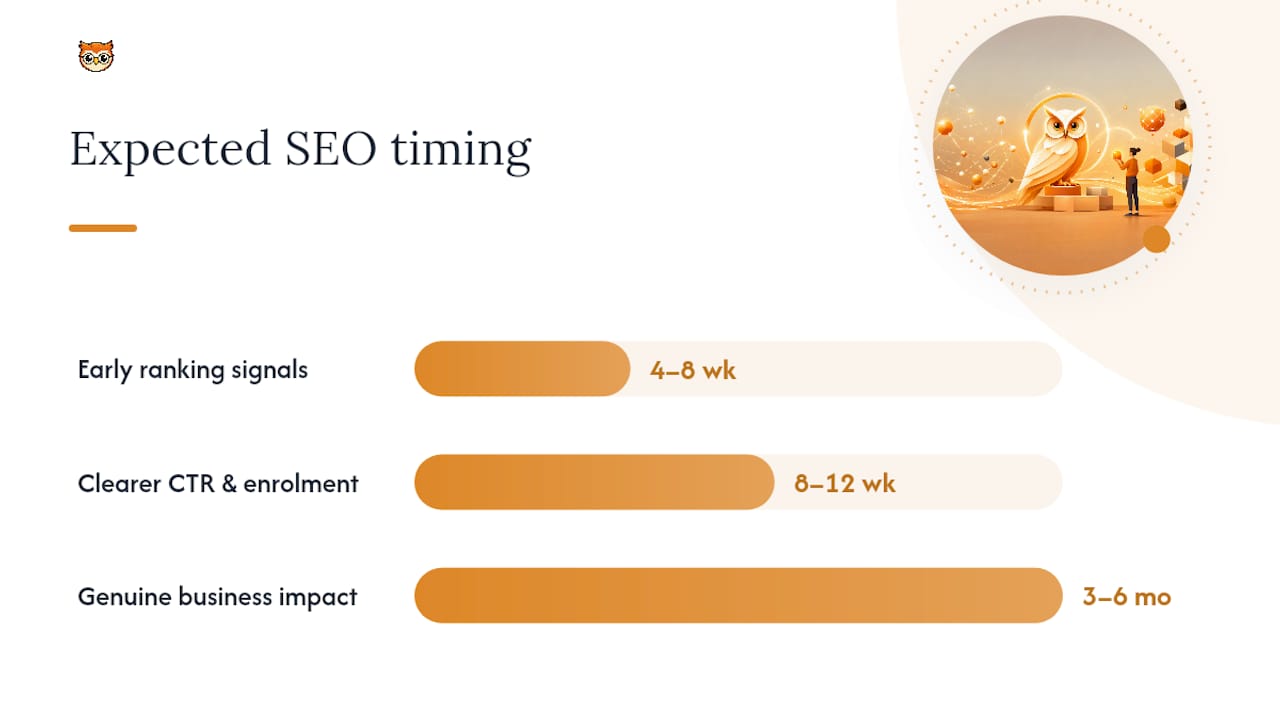
Expect early ranking signals within 4 to 8 weeks, clearer patterns in click-through rate and enrolment by the 8 to 12 week mark, and genuine business impact visible over 3 to 6 months as pages accumulate authority.
Pro Tip: Don't change your H1, your CTA copy, and your pricing display in the same week. You'll have no idea which change moved the needle.
What we see go wrong on course pages, and the quick fixes
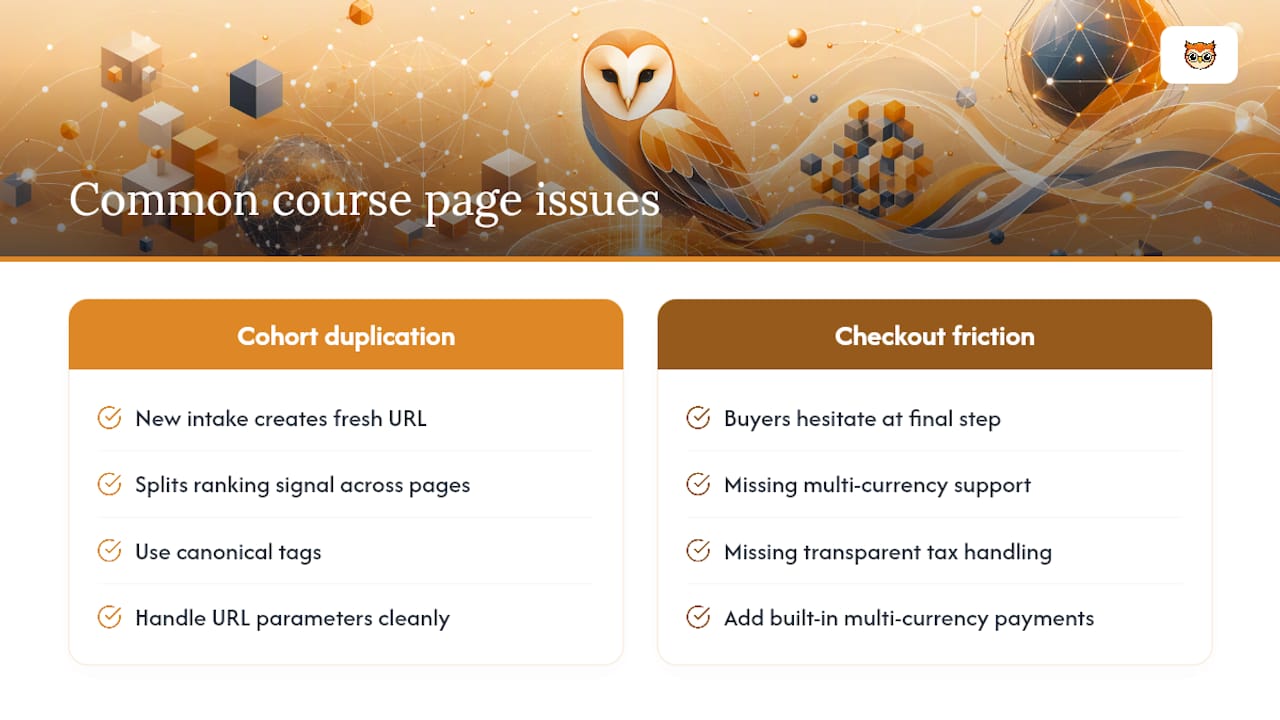
Cohort duplication is a common issue. A creator launches a new intake, generates a fresh URL, and unknowingly splits ranking signal across multiple pages that should be one. Canonical tags and clean parameter handling can solve this efficiently.
Checkout friction is the other silent killer. Built-in multi-currency payments and transparent tax handling remove the hesitation that pushes buyers away at the final step. Our analytics guidance and social proof case study both walk through the fixes step by step.
— BibliOWLteca
Get your course page schema ready without hiring a developer
Some platforms provide an easy route for creators who want this checklist implemented without briefing a developer on JSON-LD. Their storefronts carry schema-friendly fields for pricing, instructor bios, and reviews built in, plus secure delivery and multi-currency payments that address checkout friction.

If you're drafting your own outcome summary or headline copy, borrowing structure from outcome-focused writing elsewhere helps: the same principles behind writing tight, results-led positioning statements for a CV apply almost exactly to a course headline. Once your copy is ready, the practical next step is a quick audit: check your current page against the schema and technical items above, then move it onto a storefront built to hold them. Start by reviewing Bibliowlteca's features and mapping which fields you'll need to populate first.
Sources
For deeper implementation detail, the pillar-cluster and schema guidance from SEOTakeoff and the technical checklist from Amplefound both cover ground this guide only summarises. For platform selection context, see Bibliowlteca's overview of top course platforms for global creators.
- SEO for Online Courses: The Complete Guide | SEOTakeoff Blog
- Course landing page checklist: discoverability 2026
- SEO Checklist for Course creators in 2026 | Amplefound
FAQ
What is the most important SEO element on a course page?
The outcome summary, a 40 to 120 word block near the top of the page stating who the course suits and what they achieve, matters most because it's what both search snippets and AI answer systems pull from first.
Do I need Course schema for every course page?
Yes, if you want rich results and better AI discoverability. Course and CourseInstance schema tell search engines the provider, format, and dates, provided the values match your visible page text exactly.
How long before course page SEO changes show results?
Expect early signals in Search Console within 4 to 8 weeks, clearer enrolment patterns by 8 to 12 weeks, and measurable business impact typically over 3 to 6 months.
Does page speed really affect course enrolments?
Yes. Slow mobile load times increase abandonment before a visitor ever reaches your CTA, which is why compressing hero images and deferring heavy JavaScript sits high on the technical checklist.
Can Bibliowlteca help with course page schema and payments?
Some platforms provide schema-friendly fields for course, pricing, and instructor data alongside secure multi-currency payment processing, which covers both the structured data and checkout friction points covered in this guide.