
TL;DR:
- A library database management workflow is a sequence of processes that governs acquisitions, cataloguing, circulation, serial tracking, and public access through a unified system. An integrated library system links these modules into a shared database, reducing errors and improving efficiency. Automation using APIs and AI tools enhances workflows, but strong backup and data integrity practices are essential for reliable operation.
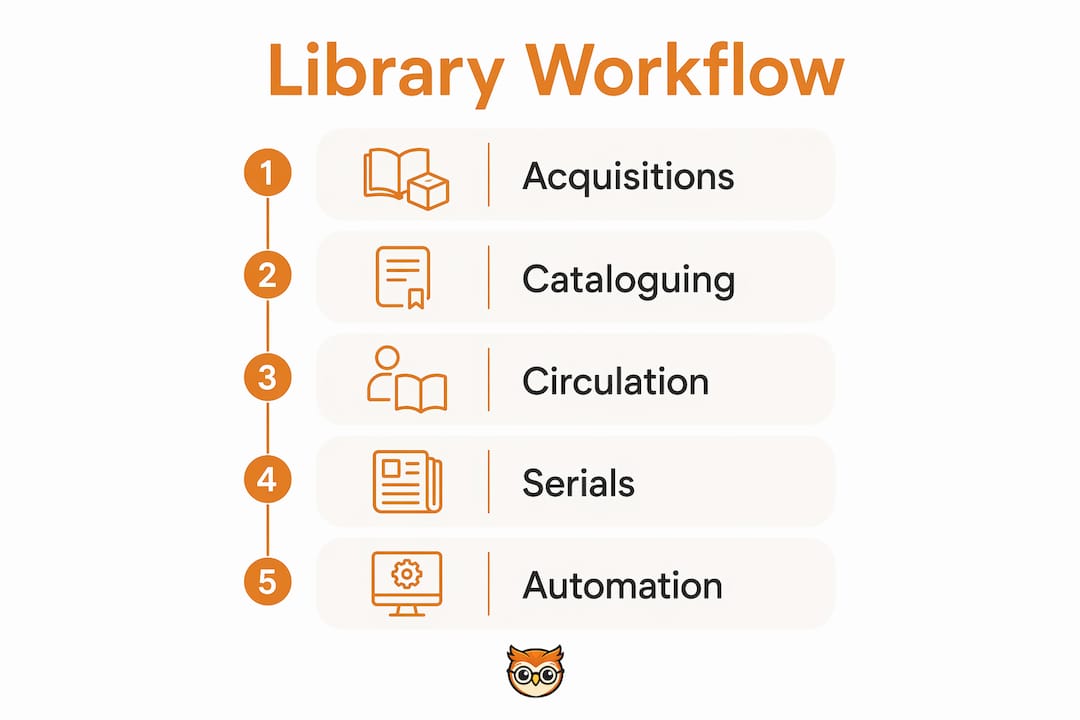
A library database management workflow is the structured sequence of processes that governs acquisitions, cataloguing, circulation, serial tracking, and public access through a unified system to maintain accuracy and data accessibility. The industry term for this unified approach is an Integrated Library System, or ILS. A well-designed ILS links every operational module into a single shared database, eliminating redundant data entry and enabling real-time record updates across the institution. Library professionals who build their workflows around this model consistently report fewer errors, faster patron service, and lower administrative overhead. This guide covers the tools, automation methods, and administration practices that make the difference between a fragile, siloed process and a genuinely reliable digital library operation.
What tools and systems define a library database management workflow?
An ILS unifies five core modules into a single shared database: acquisitions, cataloguing, circulation, serials management, and the Online Public Access Catalogue (OPAC). Each module writes to and reads from the same data store, which means a record created during acquisitions is immediately visible in cataloguing and circulation without re-entry. That single-database architecture is the foundation of any reliable library information management operation.
Core ILS modules and what they do
Acquisitions handles purchase orders, vendor invoices, and budget tracking. Cataloguing assigns metadata, subject headings, and classification numbers using standards such as MARC 21, RDA (Resource Description and Access), and the Dewey Decimal Classification. Circulation manages loans, returns, renewals, and patron accounts. Serials tracks journal subscriptions, issue receipts, and binding schedules. OPAC gives patrons a public search interface to the full catalogue. Each module depends on the others, which is why treating them as separate systems creates data inconsistencies and staff frustration.
On-premise versus cloud-based deployment
Deployment model shapes how much internal IT resource your institution needs. On-premise installations give your team full control over hardware, security policies, and upgrade timing, but they demand dedicated server infrastructure and technical staff. Cloud-based SaaS models shift hardware maintenance, security patching, and backup management to the vendor, freeing library staff to focus on policy configuration and user management rather than server administration.
| Feature category | On-premise considerations | Cloud-based considerations |
|---|---|---|
| Hardware responsibility | Internal IT team | Vendor managed |
| Software updates | Scheduled by library | Automatic via vendor |
| Backup management | Library-owned strategy | Vendor-provided, with library oversight |
| Configuration flexibility | High, but requires technical skill | High, via admin settings |
| Suitable library size | Large institutions with IT staff | All sizes, especially smaller branches |
Pro Tip: Choose a modular ILS that exposes configuration options through an administration panel rather than requiring code changes. Highly configurable systems can reflect hundreds of local policy variations without custom development, which keeps your workflow adaptable as your institution grows.
How can automation improve library database workflows without coding?
Low-code and no-code platforms let library staff automate routine tasks by connecting existing systems through APIs and webhooks, without writing a single line of server-side code. Many libraries now use secure cloud-based forms that trigger automated actions the moment a staff member submits a request. This approach removes the bottleneck of waiting for IT support every time a workflow needs adjustment.

The standard automation pattern
The most reliable automation pattern in library database management follows three steps:
- Form submission. A staff member or patron completes a structured web form. The form validates input before passing it forward, which prevents malformed data from entering the database.
- API trigger. The form submission fires an API call to the ILS or a connected service. The API carries the validated data and instructs the target system to perform a specific action, such as updating a batch of catalogue records or sending a patron notification.
- Automated action. The system executes the task and logs the result. This form-to-API pattern creates an auditable trail without requiring custom scripts, making it both secure and accessible to non-technical staff.
Common automations that save real time
The most impactful automations in a library setting fall into three categories. Batch record updates apply metadata corrections or status changes across hundreds of records simultaneously, a task that would take days manually. Patron notifications send automated overdue reminders, hold alerts, and renewal confirmations via email or SMS without staff intervention. Cross-system integrations push data between the ILS, institutional repositories, and learning management systems, keeping records consistent across platforms.
Automating library workflows also reduces the risk of human error in repetitive tasks. When a staff member manually updates 500 records, the error rate climbs with fatigue. An automated batch process applies the same logic to every record with identical accuracy.
Pro Tip: Connect your automation platform to Google Workspace or Microsoft 365 using built-in webhook connectors. Staff can then trigger ILS actions directly from shared spreadsheets or forms they already use daily, which cuts adoption friction and speeds up the library management checklist for new workflows.
What advanced techniques improve metadata quality and database performance?
AI-assisted metadata tools represent the most significant shift in cataloguing practice in a generation. Large language models can analyse item content, suggest subject headings, and draft catalogue records at a speed no human cataloguer can match. Research into AI-powered query rewriting shows that advanced query optimisation using LLMs can achieve up to 16x workload speedups and 600x improvements on individual queries. That kind of performance gain matters when a library database serves thousands of concurrent OPAC searches.
AI-assisted cataloguing in practice
The critical point about AI in cataloguing is that it assists rather than replaces. AI tools enhance but do not replace human cataloguers, with librarians retaining full authority to review, correct, and approve every suggestion before it enters the live database. This human-in-the-loop model protects catalogue quality while dramatically reducing the time spent on first-draft metadata creation. A cataloguer who previously spent four hours processing a batch of new acquisitions can review AI-generated records in under an hour.
Practical integration of AI metadata tools works best when introduced gradually. Start with a pilot batch of low-risk records, such as new monographs in a well-defined subject area. Compare AI suggestions against your institution's cataloguing standards, identify systematic errors, and adjust the tool's configuration before scaling to the full collection. Staff training at this stage is not optional. Cataloguers need to understand what the AI is doing and why, so they can spot errors that look plausible but are factually wrong.
Query performance and database tuning
Beyond metadata, database performance directly affects patron experience. Slow OPAC searches frustrate users and signal underlying indexing problems. Key techniques for improving query performance include:
- Index auditing. Review which fields your OPAC queries most frequently and confirm that those fields carry database indexes. Missing indexes on author, title, and subject fields are the most common cause of slow searches.
- Query rewriting layers. A query rewriting layer sits between the OPAC interface and the database engine, reformulating patron searches into more efficient SQL or API calls before they hit the database. This is where LLM-based optimisation delivers its most dramatic gains.
- Scheduled maintenance windows. Run database vacuuming, index rebuilding, and statistics updates during off-peak hours. Most ILS platforms support scheduled maintenance tasks through their administration console.
- Metadata normalisation. Inconsistent data formats, such as mixed date formats or inconsistent authority file usage, force the database to work harder on every query. Regular metadata management audits catch these problems before they accumulate.
| Optimisation technique | Primary benefit | Skill level required |
|---|---|---|
| Index auditing | Faster search queries | Intermediate |
| LLM query rewriting | Major throughput improvements | Advanced |
| Scheduled maintenance | Sustained database health | Basic |
| Metadata normalisation | Consistent search results | Intermediate |
| AI-assisted cataloguing | Faster record creation | Basic to intermediate |
How should you manage backups and data integrity in library systems?
System administration is the unglamorous backbone of every reliable library database operation. The system administrator's core responsibilities cover user account management, policy configuration, software update scheduling, and, above all, data protection. A single unplanned hardware failure or ransomware incident can destroy years of cataloguing work if backup procedures are inadequate.
Backup strategy: the tiered approach
Regular, tiered backup plans with multiple copies at different physical locations remain the critical best practice in library database administration. A tiered strategy works as follows:
- On-site backup. A local copy stored on a separate server or NAS device within the library building. This copy enables fast recovery from accidental deletion or minor hardware failure.
- Off-site backup. A copy held at a geographically separate location, either a secondary campus site or a cloud storage service. Off-site copies protect against fire, flood, and theft.
- Versioned backups. Retain multiple backup versions rather than overwriting the previous copy. If data corruption goes undetected for several days, a single-version backup may already contain the corrupted data.
Cloud-hosted ILS deployments do not eliminate the need for your own backup oversight. Vendors manage hardware and provide automatic backups, but your institution remains responsible for verifying that backups are complete, testing restoration procedures, and maintaining copies of data exports in formats you control.
"Treating a vendor's backup service as your only protection is a policy decision, not a technical one. Libraries that test their own restoration procedures at least twice a year discover problems before a crisis forces the issue."
Maintaining data integrity day to day
Data integrity failures are rarely dramatic. They accumulate through small inconsistencies: duplicate patron records, authority file mismatches, circulation statuses that do not reflect physical reality. The most effective countermeasure is a regular validation schedule. Run database integrity checks weekly, reconcile physical stock counts against circulation records quarterly, and audit authority files against national standards such as the Library of Congress Name Authority File (LCNAF) at least annually.
Security policy enforcement also protects data integrity. Role-based access controls prevent staff from modifying records outside their area of responsibility. Every ILS administration console should define distinct permission levels for cataloguers, circulation staff, acquisitions officers, and system administrators. Logging all database changes with timestamps and user identifiers creates an audit trail that makes it possible to trace and reverse errors.
Key takeaways
A reliable library database management workflow depends on integrating ILS modules into a single shared database, automating routine tasks through validated API-based patterns, and maintaining rigorous backup and data integrity practices.
| Point | Details |
|---|---|
| Unified ILS architecture | Link acquisitions, cataloguing, circulation, serials, and OPAC to a single database to eliminate redundant data entry. |
| Deployment model choice | Cloud-based SaaS reduces IT burden; on-premise gives greater control but requires dedicated technical staff. |
| Automation via APIs | Use form-to-API workflow patterns to automate batch updates and patron notifications without custom coding. |
| AI-assisted cataloguing | AI tools accelerate metadata creation but require librarian review and approval to maintain catalogue quality. |
| Tiered backup strategy | Maintain on-site, off-site, and versioned backups regardless of whether your ILS is cloud-hosted or on-premise. |
The case for moving beyond piecemeal workflows
The libraries that struggle most with database management are not the ones with the smallest budgets. They are the ones that built their workflows one module at a time, without a unifying architecture. A circulation system that does not talk to cataloguing, a serials tracker that lives in a spreadsheet, an OPAC that queries a database nobody has indexed properly. Each piece works in isolation. Together, they create a system where staff spend more time reconciling data than serving patrons.
What I have observed, working with library and information professionals across different institution types, is that the shift from siloed to integrated workflows is less a technology problem and more a policy decision. The tools exist. Cloud-hosted ILS platforms are accessible to institutions of almost any size. Low-code automation platforms have removed the coding barrier entirely. The case for library automation in 2026 is not theoretical. It is operational.
The AI question deserves a direct answer. AI-assisted cataloguing is not a threat to professional librarians. It is a productivity multiplier that handles the mechanical first draft while leaving judgement, quality control, and authority work firmly in human hands. The libraries that resist AI tools on principle will find themselves cataloguing at the same speed in five years while their peers process three times the volume. That is not a technology argument. It is a resource argument.
My honest recommendation is to start with the administration fundamentals before touching AI or automation. Get your backup strategy right. Define your role-based access controls. Audit your existing metadata for consistency. A well-administered, clean database amplifies every automation and AI tool you add on top of it. A poorly administered database just automates the propagation of errors.
— Bibliowlteca
How Bibliowlteca supports digital library workflows
Library professionals building out their digital content operations need more than a well-configured ILS. They need a platform that handles the distribution, payment, and delivery side of digital resources without adding administrative complexity.

Bibliowlteca is a digital platform built for creators and educators who want to publish and distribute e-books, courses, and other digital products to a global audience. For library professionals exploring how to extend their institution's digital reach, the Bibliowlteca digital content platform provides built-in tools for digital delivery, payment processing across multiple currencies, and tax compliance. Whether your institution is looking to distribute e-books or educational resources, Bibliowlteca removes the technical barriers that typically slow down digital publishing workflows. Explore the platform's full feature set to see how it fits alongside your existing library database infrastructure.
FAQ
What is a library database management workflow?
A library database management workflow is the structured sequence of processes covering acquisitions, cataloguing, circulation, serials, and public access, all managed through a unified Integrated Library System. The goal is to maintain data accuracy and accessibility across every library operation.
What does an Integrated Library System include?
An ILS includes five core modules: acquisitions, cataloguing, circulation, serials management, and an Online Public Access Catalogue (OPAC), all linked to a single shared database. This architecture prevents duplicate data entry and enables real-time updates across the institution.
How does automation help with library database management?
Automation uses form-to-API workflow patterns to handle batch record updates, patron notifications, and cross-system integrations without custom coding. This reduces manual effort, cuts error rates, and frees staff to focus on higher-value tasks.
Is AI safe to use for library cataloguing?
AI-assisted cataloguing tools generate metadata suggestions but keep librarians in full control of reviewing and approving every change before it enters the live database. The human-in-the-loop model protects catalogue quality while accelerating first-draft record creation.
What backup strategy should a library database use?
Libraries should maintain a tiered backup strategy with on-site copies for fast recovery, off-site copies for disaster protection, and versioned backups to guard against undetected data corruption. This applies even when using a cloud-hosted ILS, where vendor backups should be supplemented by institution-controlled data exports.