

A course platform migration goes well when you treat it as moving a business, not copying files. Lessons are the easy part. The risk sits in student access, subscriptions, checkout, email automations and old links, none of which move automatically. Run the move in stages: inventory everything, rebuild one course as a pilot, import learners, then run old and new side by side until the evidence says the old one can close. If you are choosing where to land, we built BibliOWLteca for creators who sell educational products and want to pay only when they earn.
TL;DR
- Inventory every course, file, student, payment, automation and link before you pick a destination. Names and emails import easily; progress, certificates, subscriptions and automations often do not.
- Rebuild one representative course first, with video, downloads, quiz and certificate, so the failures show up on a small scale.
- Treat payments as the highest-risk area: raw card numbers cannot be copied by you, and active subscriptions need a deliberate plan.
- Keep the old platform running in parallel, and cancel it only after real enrolments, payments, email and redirects are proven on the new one.
- Redirect every old URL with a permanent redirect so search traffic and student bookmarks keep working.
Table of Contents
- Why migrations fail: you are moving a system, not a folder
- Step 1: Take a full inventory
- Step 2: Sort what moves, what rebuilds, what archives
- Step 3: Rebuild one course as a pilot
- Step 4: Handle payments with the most care
- Step 5: Import learners and grant access
- Step 6: Redirect every old link
- Step 7: Run both platforms side by side
- The sign-off checklist
- Common problems and how to avoid them
- Where to move to
- Our perspective
- FAQ
- Sources
Why migrations fail: you are moving a system, not a folder
When creators say "migrate my course", they usually picture exporting videos and uploading them elsewhere. A course business is more than that. It is a set of promises to people who already paid: access to a lesson, a certificate at the end, a renewal that happens on time, an email that arrives after purchase.
There is rarely a true one-click move between platforms, because each one stores progress, access rules and automations in its own way. Academic IT teams document this clearly. When App State University compared Moodle and Canvas, it listed what does not carry over in a migration: student grades, submissions and forum posts, platform-specific features and third-party tools stay behind. Quizzes arrive as ungraded practice quizzes that have to be switched back to graded, and every migrated course needs a manual review. A university has an IT department for that. A solo creator has a weekend, so the plan has to be tighter.
The practical consequence is simple: decide what must be identical afterwards, what can be rebuilt, and what you will archive. That decision comes before any upload.
Step 1: Take a full inventory
Open a spreadsheet and list everything the business touches. One row per item, with these columns: where it lives now, whether it can be exported, in what format, and who checks it afterwards.
Content
- Courses, modules and lessons, in their correct order
- Videos in original quality (not the compressed versions the platform streams), captions and transcripts
- Downloads, templates, workbooks and e-books
- Quizzes, assignments and certificates, with their pass marks
People and records
- Student list with email, enrolment date, access expiry and which products each person owns
- Progress and completion data, and certificates already issued
- Complimentary enrolments, refunded orders, and members about to renew
- Email consent: who agreed to what, and when
Money
- Products, prices, coupons, payment plans and order bumps
- Active subscriptions and their renewal dates
- Payment processor connections and tax settings
- Historical transactions for accounting and tax records
Connections
- Email platform tags and automation sequences
- Community or chat tools, webinar tools, analytics and webhooks
- Your custom domain, sales page URLs and lesson URLs that are linked from elsewhere
Two habits save the most pain here. First, mark each course as keep, update or archive. A move is the cheapest moment to retire material nobody opens. Second, ask what the new platform will accept for each row before you commit to it. Request a sample export or a trial import and count objects (lessons, students, orders) on both sides.
Site owners who have rebuilt a website without losing traffic know the same discipline, which this website redesign case study shows: you decide what carries over, what changes and what must be mapped before anything goes live.
Step 2: Sort what moves, what rebuilds, what archives
With the inventory done, assign every row to one of three bins.
| Item | Usually moves by file or import | Usually needs rebuilding | Usually archived |
|---|---|---|---|
| Videos, PDFs, downloads | Yes, if you hold the originals | Re-attach to lessons | |
| Lesson text and structure | Often, via export or copy | Layout and formatting | |
| Student names and emails | Yes, as a CSV | ||
| Enrolments and access dates | Sometimes | Often granted manually | |
| Progress and scores | Rarely | Export as a report for reference | |
| Quizzes | Sometimes | Settings, grading, retake rules | |
| Certificates | Rarely | Template and issuing rules | Keep a record of those already issued |
| Email automations and tags | No universal export | Rebuilt logic | |
| Subscriptions | Depends on processor | Re-subscribe flow if needed | |
| Past transactions | Export for accounting |
The table is a pattern, not a promise: every platform differs, which is why the sample export in step 1 matters. Where progress cannot move, the honest option is to keep an archive of historical progress and certificates outside the new portal, and to grant each student's access deliberately so nobody loses what they paid for.
Email automations deserve special attention. Tags and sequences are built on each tool's own logic, so they are often the part that quietly breaks. Write down what each automation is supposed to do (for example, welcome message, drip release, completion email) and rebuild it as a described behaviour rather than trying to copy it. Our guide on mapping the first onboarding email after payment covers the sequence most courses need on day one.
Step 3: Rebuild one course as a pilot
Do not import the catalogue first. Pick the course that contains the features most likely to fail: video, downloads, a quiz, drip release, a certificate, a coupon, perhaps a payment plan. Rebuild it fully on the new platform, then check it on desktop and mobile as three different people: a new student, someone mid-course and someone who has finished.
A good pilot also uses a small test group of real or dummy accounts:
- a brand new buyer
- an active learner
- a completed learner
- an expired learner
- a refunded buyer
- a subscription customer
Each of those exposes a different failure. The expired learner reveals whether access dates came across. The refunded buyer shows whether someone who should have no access still has it. The subscription customer shows whether billing and entitlement agree.
Quizzes need their own pass. As the university comparison above shows, assessments may land with the wrong grading status, so retake every quiz as a student and confirm scores are recorded. If your content includes mobile viewing concerns, our one-hour mobile checklist works well as a pilot test. Accessibility is another item easy to lose in a rebuild, so check captions, headings and contrast against the accessibility guide for creators.
Step 4: Handle payments with the most care
Payments are where a rushed migration costs real money. If a checkout is reconnected incorrectly, subscriptions can fail to renew, order bumps and upsells can stop working, and revenue tracking can reset without any visible error.
Three facts shape the plan.
You cannot copy card numbers yourself. Card data is protected by payment-industry rules. Stripe, for example, states that it can transfer card data only to another processor that meets PCI DSS Level 1 requirements, and it requires details of the receiving processor's compliance before it will do so. If your old and new platforms use different processors, ask both whether card transfer is supported before you promise anything to subscribers.
Subscriptions need a decision, not a hope. You have two sane options. Leave existing subscribers on the old platform until their renewal and move them at the next billing cycle. Or invite them to re-subscribe on the new platform with a clear message, a reminder or two and, if you like, a small incentive. Either way, grant each person's access by hand in the meantime.
Keep your records. Export the full transaction history for accounting and tax before you close anything. Do not assume the new platform will import past orders.
Then test with real money. Buy your own course with a real card, complete a refund, test a failed payment and a cancellation, and reconcile the payout. A broken checkout found by you two days before launch is a small annoyance. Found by your first customer after the announcement email, it is a refund and a lost sale.
If you sell internationally, check what payment methods your buyers actually use. On BibliOWLteca checkout, buyers can pay with options including Pix, SEPA, crypto and Klarna, and creators sell in multiple currencies, which matters when your audience is spread across countries rather than concentrated in one.

Step 5: Import learners and grant access
Once the pilot passes, bring in the catalogue and the students. The order that works:
- Move content course by course, checking each lesson against the original.
- Create student accounts with the same email addresses they already use, so the first login feels familiar.
- Set enrolments and access dates to match the source records.
- Load progress where the platform allows it; otherwise note each student's status in your archive and grant access to everything they previously finished.
- Reconnect email, analytics and any webhooks, then trigger one test event in each to confirm it arrives.
Before you import any list, confirm you have the right to contact those people on the new tool. Consent records do not always transfer with names and emails. If you serve students in Europe, our data protection checklist for course sellers explains what to document.
After the import, compare counts: lessons, students, enrolments, orders. A reconciliation like this catches the student who was silently dropped because of a stray character in an email address.
Step 6: Redirect every old link
Your sales pages, lesson links and blog posts are linked from search results, social posts, emails and student bookmarks. If the address changes and nothing points to the new one, those visitors land on an error page.
Map every old URL to its new equivalent and set up a permanent (301) redirect for each. When you move a whole domain, Google's guidance for its Change of Address tool recommends redirecting your old homepage and canonical pages to the new site as pre-work. Once the move is done, submit a fresh sitemap so search engines find the new pages sooner.
Also plan the login story. Tell students where to log in, what email to use and where to get help, before the switch rather than after.
Step 7: Run both platforms side by side
The single most expensive mistake in a rushed migration is cancelling the old subscription the day the new one looks ready. Keep both running. A week is the minimum for a small course, two or more for a larger catalogue, and longer if you have subscribers who renew monthly.
During the overlap:
- Watch support messages closely for the first few days after the switch.
- Keep the old platform as a rollback and a reference for records.
- Choose a quiet time for the switch itself, when few students are in lessons.
- Announce the change to students only once the new school is complete and verified.
When you tell students, be specific. Say what is changing, the date, where to log in, which email to use, whether progress carries over, and who to write to. Answering the likely questions in advance means support is busy for a short time, not for weeks.
The sign-off checklist
Ready to close the old platform? Make it a decision based on evidence, not a date in the calendar. Work through this list and record the result of each line.
| Area | What to confirm |
|---|---|
| Content | Every course and lesson present, in order; videos, downloads, captions play and open |
| Assessments | Quizzes score correctly; certificates generate with the right name and date |
| Learners | Identity, enrolment and access dates match the source; refunded buyers have no access |
| Progress | Scores and completion match archived reports, or the archive is stored safely |
| Payments | Purchase, failed payment, refund, cancellation and coupon all tested; taxes correct |
| Subscriptions | Each subscriber is either migrated, scheduled for renewal or invited to re-subscribe |
| Email and tools | Welcome email, automations, CRM, analytics and webhooks all fire |
| Links | Old URLs redirect; custom domain points at the new platform; login links work |
| Fallback | Someone owns the rollback procedure and still has access to the old records |
If something important is still unknown, treat it as a hold. Knowing what a learning system is expected to handle also helps you write these acceptance tests, and this explainer on learning management systems gives a clear baseline for what to check.
Common problems and how to avoid them
- Missing progress. Decide in advance whether students keep progress, and tell them. Archive the records either way.
- Silent webhook failures. Trigger a test event from every connected tool and confirm the receiving side logs it.
- Subscriptions that stop renewing. Plan the subscriber move per cycle, and never change processing mid-cycle without a plan.
- Broken URLs. Build the redirect map before cutover, not after the first complaint.
- Quizzes in the wrong mode. Retake every quiz as a student and check grading settings.
- Tax and accounting gaps. Export past transactions before closing the old account.
- Too-early cancellation. Close the old platform only after real enrolments and real payments have run cleanly on the new one.
If you are leaving a hosted course platform for the first time, our step-by-step plan for leaving a hosted course platform walks through a specific example, and the guide for leaving a digital storefront does the same for creators who sell downloads.
Where to move to
The right destination is the one that holds everything your inventory lists without adding monthly overhead while you are still rebuilding. BibliOWLteca is a marketplace and creator platform for e-books, courses, mentorship programmes, templates and other digital products. It includes course hosting with video and quizzes, mentorship and coaching spaces, community features, customisable storefronts, analytics and secure digital delivery, with global payments in multiple currencies and European tax compliance built in.
The pricing model suits a migration year. We charge no monthly fee: the transaction fee is a percentage plus a fixed fee per completed sale, from €0.99, so you pay when you earn, not while you rebuild and test. Hosting is unlimited, so the catalogue you decided to keep does not have to be trimmed to fit a plan. You can see what is already sold through the platform on the categories page.
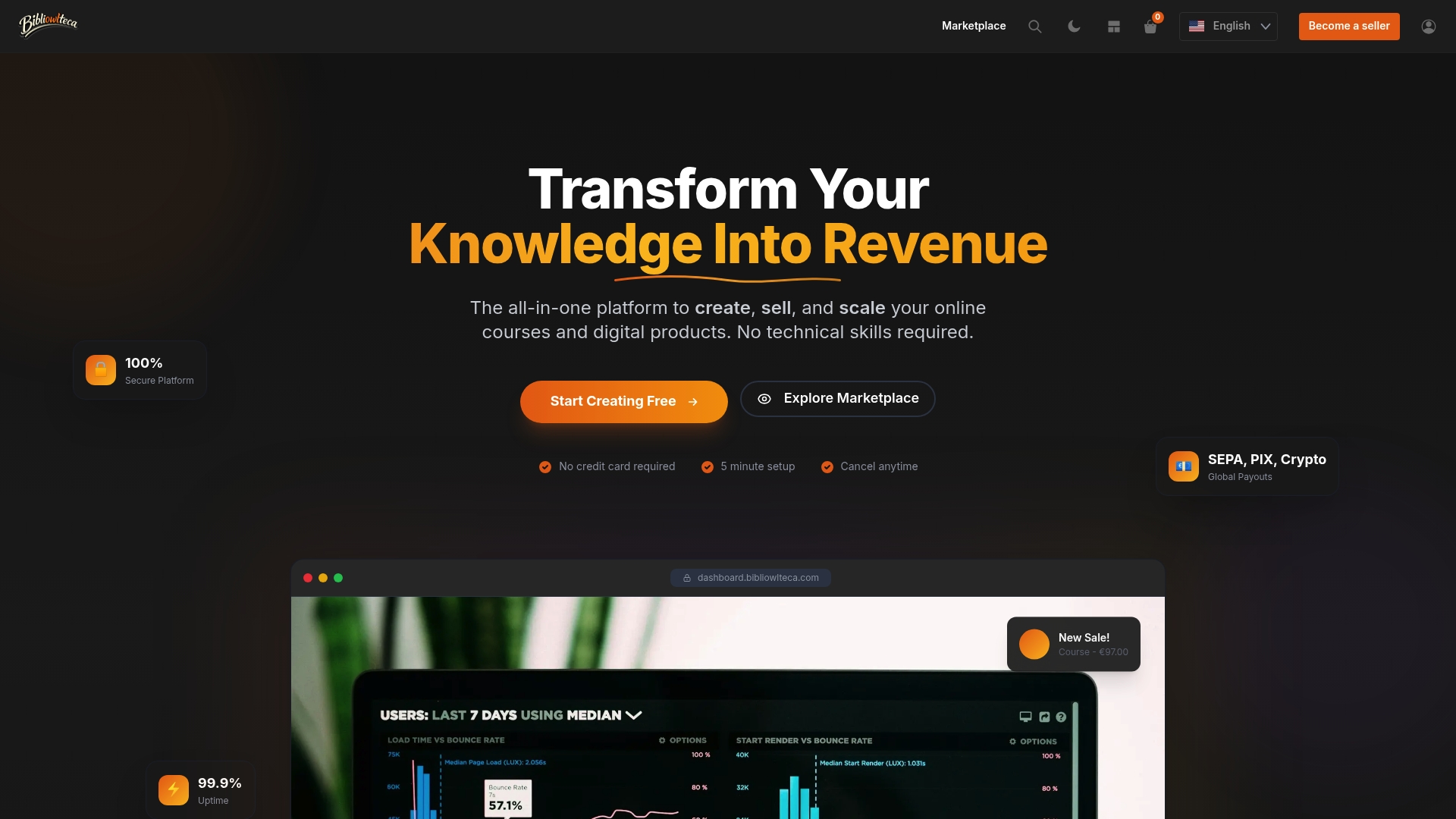
When your pilot course is ready, set up your store and run the test purchase described above before you tell a single student.
Our perspective
Most migration advice starts with the technology. We start with the students. Every person who bought a course from you made a simple deal: pay once, get access. A migration succeeds when that deal looks unchanged from their side.
That is why we push creators to treat the pilot course and the test purchase as non-negotiable. They cost an afternoon, and they surface almost every problem that would otherwise reach a customer.
It is also why we built BibliOWLteca around educational products specifically: course hosting with video and quizzes, mentorship spaces, community features, instant digital delivery and checkout options that people in different countries actually use, including Pix, SEPA, crypto and Klarna. For creators selling across borders, particularly Brazilians and other international sellers expanding into Europe, a localised checkout and European tax compliance remove two problems before the first sale.
And because we charge only when you earn, the cost of moving is not a monthly bill running while you test. You move at the speed your checklist allows, not the speed a subscription forces.
BibliOWLteca
FAQ
How long does a course platform migration take?
A single course with a handful of students can move in a few days, including testing. A catalogue with subscribers, automations and a custom domain is better planned over several weeks, with at least one to two weeks of parallel running. Let your checklist decide the date, not the calendar.
Will my students lose their progress?
It depends on what both platforms can export and import. Names, emails and enrolments usually transfer, while progress, certificates and quiz results often do not. Archive the historical records, grant access deliberately, and tell students in advance what carries over.
Can I move my subscribers' card details myself?
No. Card data is protected by payment-industry rules, and a processor can transfer it only to another processor that meets the required security standard. Ask both platforms whether a processor-to-processor transfer is possible. If not, keep subscribers on the old platform until renewal or invite them to re-subscribe.
Do I need to redirect old URLs?
Yes. Without redirects, search results, emails and bookmarks lead to error pages. Map each old address to its new equivalent with a permanent redirect, and submit a new sitemap after the switch.
When can I cancel the old platform?
Only after access, payments, email and redirects have been proven on the new platform with real enrolments, and after you have exported your past transactions and student records. Keep the old account through at least one full billing cycle if you have subscribers.
Sources
- App State University IT Services: Moodle and Canvas comparison
- Stripe: Request a payment data export
- Google Search Console Help: Change of Address tool
- Website redesign case study: from traffic to leads
- What is a learning management system?