
If you sell courses to anyone in the EU, GDPR applies to you, and the clock starts running the moment you collect a learner's email address. The three immediate steps: confirm your lawful bases and keep consent records, minimise the data you gather while setting hard retention limits, and put a signed data processing agreement plus a 72 hour breach plan behind every tool that touches learner data.
TL;DR:
- Keep only essential learner data by mapping each purpose to a lawful basis and setting clear retention windows to reduce breach risks.
- Sign detailed data processing agreements with all vendors and conduct basic due diligence to ensure they meet GDPR security and privacy standards.
- Build security habits such as regular access reviews, encrypted connections, and careful management of data exports to prevent breaches.
- Ensure checkout pages present clear privacy notices, separate marketing consent requests, and allow granular cookie choices without disrupting user flow.
- Use platform features like automated retention controls and integrated consent logs to streamline compliance management and reduce manual workload.
Table of Contents
- Andmekaitse kursuste müügil: a quick compliance checklist
- Which lawful basis applies to your course sales?
- How much learner data should you actually keep?
- What should you require from processors and vendors?
- What happens if learner data is breached?
- How do you configure checkout and analytics pages properly?
- How platform features cut the compliance workload
- Why most GDPR advice for creators misses the point
- Sell courses without rebuilding your own compliance stack
- Sources
Andmekaitse kursuste müügil: a quick compliance checklist
Getting andmekaitse kursuste müügil right isn't about hiring a lawyer for six months. It's a short list of operational fixes you can work through this week.
- Publish a real privacy notice. Put it on your course page and checkout, not buried three clicks deep. It must reflect what you actually collect, not a generic template pasted from another site, since vague privacy notices create legal and commercial risk.
- Assign a lawful basis to every data type you hold, and log consent wherever you rely on it rather than on contract necessity.
- Strip out checkout fields you don't need. A digital-only product doesn't need a postal address.
- Sign a data processing agreement with every processor — your hosting provider, payment gateway, and email tool — and check their sub-processor lists.
- Set retention windows for each data category and automate deletion or anonymisation once they expire.
- Build a simple process for privacy requests and log every request and its outcome.
Pro Tip: Run this as a spreadsheet: one row per data field, one column each for purpose, lawful basis, and retention period. It doubles as your accountability record if a regulator ever asks.
Which lawful basis applies to your course sales?
Most course transactions rest on one of three lawful bases, and mixing them up is the single most common mistake creators make.
Contract covers the delivery of the course itself and the payment that pays for it. EDPB guidance on Article 6(1)(b) is specific: processing only qualifies if it's objectively necessary to fulfil the contract, and you should be able to explain that necessity for each data field, not just assume it applies.
Consent is the right basis for newsletters, optional personalisation, and any non-essential cookies. It has to be freely given, specific to a stated purpose, recorded somewhere you can retrieve it, and just as easy to withdraw as it was to give.
Legitimate interest can justify low-risk operational analytics or fraud checks, but only after a documented balancing test weighing your interest against the learner's expectations.
In practice:
- Map each purpose (delivery, marketing, analytics, fraud prevention) to one basis.
- Use a separate checkbox for marketing consent, never bundled with the "buy now" button.
- Keep a consent log with timestamp, wording shown, and version of your notice at the time.
How much learner data should you actually keep?
Keep only what each purpose genuinely requires, and give every category a fixed retention window rather than storing everything indefinitely "just in case."
A workable breakdown looks like this:
- Purchase and invoice records: kept as long as required by tax and accounting rules.
- Course progress data: retained only while the learner has access, then anonymised.
- Marketing lists: kept until unsubscribe or after a defined period of inactivity, whichever comes first.
- Support tickets: closed and deleted or archived after a set window, not left open-ended.
Audit your enrolment form and checkout fields against this list. If a field doesn't map to a stated purpose, remove it. Data minimisation is a legal requirement, not a nice-to-have, and fewer fields also means less to lose in a breach.
Pro Tip: Automate deletion where your platform allows it. Manual clean-up gets skipped the moment you're busy launching your next course.
Learners also have a right to rectification. If someone flags a wrong email or a misspelt name, fix it fast and confirm the change in writing, ideally within days rather than weeks.
What should you require from processors and vendors?
Every tool that touches learner data on your behalf, your LMS, payment gateway, or email platform, is a processor, and you remain the controller responsible for how that data gets used. That distinction doesn't disappear just because you outsourced the infrastructure.
Insist on a written DPA before you integrate any new tool. At minimum it should specify:
- The purpose and duration of processing.
- The security measures the processor commits to.
- Rules for engaging sub-processors, including notification if the list changes.
- How they'll notify you of a security incident, and how fast.
Before signing anything, run basic due diligence: does the vendor publish its own privacy documentation, does it name a lawful transfer mechanism if data leaves the EU, and does its security posture hold up to scrutiny? Internally, restrict staff access to learner records, log any data exports, and limit exports to CSV format only when there's a genuine business reason.
What happens if learner data is breached?
Baseline security isn't optional: TLS on every page that handles data, encryption at rest, regular backups, and multi-factor authentication on any admin account with access to learner records.

Beyond the technical layer, build habits: review who has access on a schedule, train anyone handling learner data, and treat data exports as something to log, not something to do casually over email.
When something does go wrong, work through it in order:
- Detect the incident and contain it immediately.
- Assess the risk to affected learners, what data was exposed and how sensitive it is.
- Notify the supervisory authority within 72 hours of becoming aware, if the breach is likely to result in risk to individuals, as required under GDPR.
- Inform affected learners directly where the risk to them is high.
- Document everything, what happened, who was affected, what you did about it.
Having a template incident report ready before anything happens, mapping what occurred, data categories affected, likely consequences, and mitigation steps, speeds up that 72 hour window considerably. Waiting until you're mid-incident to draft one from scratch is how deadlines get missed.
How do you configure checkout and analytics pages properly?
Your checkout page is where most compliance failures actually happen, usually because conversion pressure wins out over good defaults.
- Show a short privacy summary and a link to the full notice right on the checkout page, not just in a footer.
- Keep marketing consent as a separate, unticked checkbox, never bundled with the purchase itself.
- Ask for the minimum enrolment fields needed, and label anything optional clearly as optional.
- Configure your cookie banner to allow granular choices, analytics separate from essential cookies, and turn on IP anonymisation where your analytics tool supports it.
- Log every consent event with a timestamp and an identifier, so you can respond quickly if someone asks what they agreed to and when.
None of this needs to slow down your checkout flow. It needs to be built in from the start, which is a lot easier than retrofitting it after launch.
How platform features cut the compliance workload
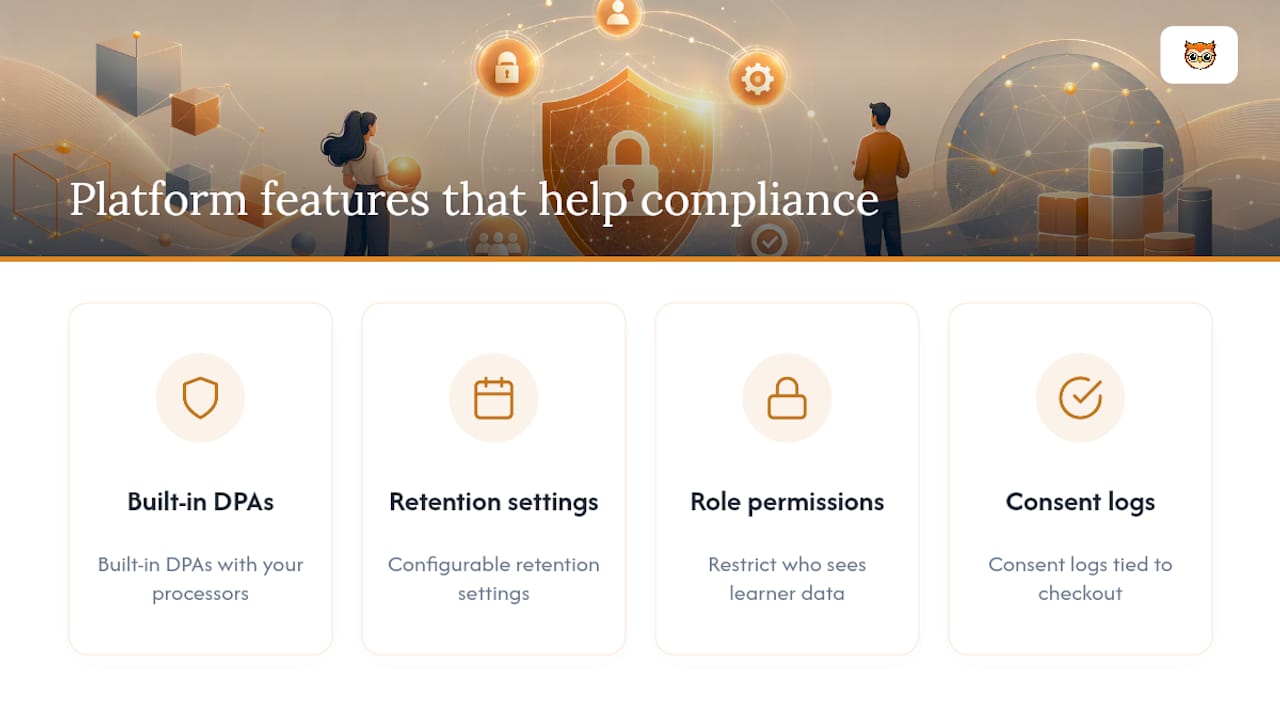
Handling andmekaitse kursuste müügil manually, spreadsheets, email chains, ad hoc DPAs, gets unwieldy fast once you're running more than a handful of courses. Look for platform features that do the heavy lifting: built-in DPAs with your processors, configurable retention settings, role-based permissions restricting who sees learner data, and consent logs tied to checkout. These map directly onto the checklist above and remove a lot of the manual tracking. If you're also deciding what learner behaviour data is worth keeping in the first place, our course analytics guide is a useful next stop.
Why most GDPR advice for creators misses the point
Most guidance aimed at course creators treats GDPR as a legal hurdle to clear once and forget. That's backwards. The creators who handle it best treat privacy as part of product design, deciding what data a signup form actually needs before it's ever built, not auditing it after the fact once a regulator or a nervous customer asks a question.
The conventional advice, "get a privacy policy template," undersells the actual risk. A template that doesn't match your real data flows is arguably worse than nothing, because it's evidence you said one thing and did another. The bigger gap is retention. Plenty of creators nail consent and lawful basis on day one, then let data pile up indefinitely because nobody set an expiry date.
If you take one thing from this, prioritise the boring stuff first: map your data, write down your lawful basis for each field, and set a deletion date before you set up a single new marketing automation. The flashy features come later. The paperwork is what actually protects you.
— BibliOWLteca
Sell courses without rebuilding your own compliance stack
Bibliowlteca is built so course creators don't have to assemble their own compliance stack from scratch. Secure delivery, global payment processing, and processor-level DPAs with the platform's own infrastructure are already in place, alongside retention controls that let you set deletion rules per data category rather than tracking them by hand.

If you're weighing up how to structure your storefront and checkout with privacy built in from the start, our guide to selling online courses walks through the practical setup. For compliance-specific questions about your particular course catalogue, reach out to the Bibliowlteca team directly, or explore the platform to see how the storefront, payments, and delivery tools fit together before you launch your next course.
Sources
For the legal detail behind this checklist, go to the source: the European Commission's GDPR principles, EDPB guidance on lawful processing, and the EDPB guidelines on Article 6(1)(b). For creator-specific context, see GDPR for creators and privacy notices for online course platforms.
- European Commission — Principles of the GDPR
- EDPB guidelines on Article 6(1)(b) — necessity and contractual processing
- Privacy notices for online course platforms — Sprintlaw (UK)