

You can sell Figma templates, but the route matters. Figma Community is a strong place to be found, yet its rules push paid sales away from outside checkout links. Most creators therefore sell through a storefront they control or a digital marketplace, deliver a view-only link or a source file, and use the Community for free previews. This guide covers the whole path: where to sell, how to package files, licence terms, pricing, US tax basics and how to find buyers.
TL;DR
- Figma Community restricts third-party checkout links and calls to buy elsewhere, so keep paid sales on a storefront or marketplace and treat Community as a showcase.
- Deliver a clean package: a Start Here PDF, a licence, a short customisation guide, and a file you have tested as a buyer.
- Write your own licence terms and keep a source log for every font, icon and photo inside the file.
- Price on the value delivered and on what comparable kits charge, then adjust. Track fees, refunds and sales tax from day one.
- Earnings vary enormously. Expect slow early months and plan on marketing and documentation, not just design.
Table of Contents
- Can you sell Figma templates on Figma Community?
- Where to sell Figma templates
- Build a template buyers can actually use
- Licence terms for your Figma templates
- How to price a Figma template
- US sales tax and record-keeping
- How to promote your Figma templates
- How much can you earn?
- Sell your templates with BibliOWLteca
- Perspective: sell the system, not just the file
- Frequently asked questions
- Sources
Can you sell Figma templates on Figma Community?
Figma runs its own paid-resource programme, and it has strict rules. Its guidance for paid files prohibits third-party checkout links, advertisements and calls to buy outside Figma's payment platform. That means a free Community file that says "buy the full version here" with a link to your shop is a risk to your listing.
There is a second hurdle. Selling paid files through Community has required approval, and a Figma support reply quoted in a community thread said that only approved sellers can sell resources there. The same thread quotes documentation saying new creators were not being approved at the time. Programme status can change, so read Figma's current seller documentation before you plan around it.
The practical conclusion for most designers is simple:
- Use Community for what it does well: discovery. Publish a genuinely useful free file, with a clear cover and good documentation.
- Sell your full products somewhere you control the checkout.
- Keep the two separate. Do not put buy links, ads or promotional calls inside Community files.
Figma also does not set the fees or commissions of outside platforms. The company's own guidance says you can sell design files on third-party platforms, but should check each platform's terms.
Where to sell Figma templates
There are three realistic options, and many creators use more than one.
Your own storefront
A storefront gives you control over branding, bundles, pricing and the customer relationship. You own the email list that comes from each sale, which matters when you launch version two. The trade-off is that you must drive your own traffic and manage payments, delivery and tax.
A digital marketplace for creators
A marketplace handles checkout, delivery and often the tax mechanics, in exchange for a share of each sale. This suits designers who want to spend time designing rather than configuring payment systems. Compare the fee structure carefully: a percentage plus a fixed fee per sale hurts low-priced products more than high-priced ones, while a monthly subscription costs you even in months with no sales.
Large general template marketplaces
Big design marketplaces give you built-in traffic, but you compete with thousands of similar kits, and listing rules, commissions and payout terms are set by them. Treat them as a distribution channel for your best-selling kit rather than your only home.
How delivery works
Because Figma files are not like a PDF, you have two common delivery methods. One is a downloadable .fig release copy. The other is a PDF that contains a view-only duplicate link, which the buyer duplicates into their own drafts. Some sellers also add a ZIP with exports and a guide. Pick whichever matches your price point: a duplicate link is quick to update, while a .fig file is a fixed, versioned deliverable.
Build a template buyers can actually use
Buyers pay for time saved. A beautiful kit that confuses them in the first five minutes gets refund requests and poor reviews. Build for the person who opens it cold.
Structure the file
A publication-ready file works best with named pages such as Cover, Templates, Components and How to Use, a cover frame on the first page that doubles as the thumbnail, and realistic sample data in every template. Empty frames look unfinished and are harder to judge in a preview. Use components, variables and auto layout so buyers can restyle quickly, and name layers sensibly.
Build a clear download package
One useful rule: after downloading, a buyer should be able to answer five questions within a minute. What is included, what to open first, which software is needed, what can be edited and what the usage terms are. A folder structure that supports this:
| Folder | What goes in it |
|---|---|
| 01_Start_Here | A one-page PDF: what is inside, how to open the file, support contact |
| 02_Source_Files | The .fig file or the PDF with the duplicate link |
| 03_Exports | PNG or SVG exports of key assets |
| 04_Previews | Screenshots that match the listing |
| 05_License_and_Readme | Licence terms and a short customisation guide |
The same guidance for template sellers recommends listing dependencies such as fonts and plugins, and testing the files, links, permissions and download as if you were a buyer. Open the product in a fresh account, from a different browser, with no access to your drafts. Broken view permissions are the most common avoidable failure.
Document the customisation
A short guide beats a long one. Show how to swap colours, change type styles, replace images and add a new page using your components. Two or three annotated screenshots usually do the job. Include a way to reach you, because a quick answer to a first-week question prevents a refund.
Licence terms for your Figma templates
Your buyers need to know what they may do, and you need to protect your work. Figma's own paid-resource licence is a useful reference for how a marketplace frames it: it grants a limited, worldwide, non-exclusive, non-transferable and non-sublicensable right to use the resource, and it generally prohibits resale, redistribution, transfer, sublicensing, lending, copying, modification and derivative works. Your own licence is a separate document that applies to sales outside that programme.
A clear licence for a template normally answers these points:
- Who may use it: one person, one team or an unlimited number of seats.
- What projects: personal and client projects, commercial products, or both.
- What is not allowed: reselling the file, giving it away, or republishing it as your own template or UI kit.
- Whether buyers may modify it: most template buyers expect to, since customising is the point.
- What happens with updates: whether version two is included.
Then deal with third-party material. Fonts, icons, stock photos, mockups and plugins have their own licences, and your licence cannot override them. Keep a source log for each third-party asset and say plainly whether the buyer must obtain anything separately. Open-licence fonts and icons are the easiest to bundle. For anything else, link to the source and tell buyers what to install.
A licence written for a real business transaction is worth a read by a lawyer familiar with intellectual property in your state, especially if you plan to sell team or enterprise licences.
How to price a Figma template
Start from the value delivered, not the hours spent. A dashboard kit that saves a product team a week of work is worth more than a pretty landing-page pack that saves an afternoon. A common approach is to research competing products, choose a market-middle price and test it.

Some reference points, with caution. One 2026 analysis of design assets puts Figma UI kits at $49 to $299, dashboard templates at $79 to $399, mobile app templates at $29 to $149 and design systems at $199 to $999. Treat these as ranges to compare against, not guarantees: your own listing, previews and audience set what actually sells.
Practical pricing moves:
- Offer tiers. A basic kit, a pro kit with more screens, and a team licence give buyers a choice and lift average order value.
- Bundle. Pair a UI kit with a matching icon set or a presentation template.
- Price for fees. If a platform takes a percentage plus a fixed amount per sale, a very cheap product leaves less margin. Work out your net per sale before you set the price.
- Raise gradually. If a product sells steadily with positive reviews, test a higher price.
If you also sell written material such as guides to using your kit, our piece on ebook pricing strategy uses the same value-based logic.
US sales tax and record-keeping
If you sell to US buyers, tax is not something to leave until April. The details depend on state and product, and the rules change, so confirm with a qualified US accountant. These are the principles that matter.
Marketplace-facilitator laws mean that in many states a marketplace collects and remits sales tax on sales it processes. But marketplace-facilitator duties vary by state and product, and economic-nexus thresholds vary by state. Many states use thresholds around $100,000 in sales or 200 transactions, with exceptions, according to the same guide.
A marketplace collecting tax does not settle everything for you. A US tax practice advises that a seller should reconcile gross sales, refunds, fees, tax collected, chargebacks and net deposits, and separately analyse direct sales and any state registration obligations. If you sell both through a marketplace and from your own checkout, keep those channels apart in your records.
A simple monthly routine:
- Export each channel's sales report.
- Record gross sales, fees, refunds and net payouts in one spreadsheet.
- Note where tax was collected for you and where it was not.
- Compare totals against the amounts that land in your bank account.
For US creators, our walkthrough of marketplace facilitator tax steps and 1099-K mismatches explains how to line up platform reports with your own books.
How to promote your Figma templates
A good file in a quiet shop sells nothing. The most useful lesson from sellers who have tried this is that marketing and presentation matter as much as the design.
Show the work where designers already look
Designers browse visual platforms and social feeds. Post short screen recordings that show a template being customised in thirty seconds. Share a few frames as carousel images. Dribbble, Pinterest and X are commonly named as places to showcase this kind of work. Put a link to your storefront in your profile, not in your Figma Community files.
Give away a slice
Publish a free mini-kit on Figma Community, such as one dashboard screen with a few components, with a clear cover and documentation. Do not put buy links or promotions in it, since that conflicts with Figma's rules. Instead, make your name and profile memorable so interested designers can find the full kit through you.
Write for a specific buyer
"Dashboard kit for B2B SaaS" outperforms "modern UI kit" because the buyer knows immediately whether it is for them. Name the audience in the title, show three or four use cases in the preview, and list what is included.
Build an email list
Offer a free checklist or a small component set in return for an email address. When you launch a new kit or a price change, you have people to tell. This is where owning your storefront pays off.
Collect proof
Ask early buyers for a short review and, with permission, show a screenshot of a real project built with your kit. Real work convinces buyers more than polished mock-ups.
Keep the listing honest
Show the actual file, not just rendered mock-ups. Make the preview match what is delivered, and state the required fonts and plugins. Mismatches between preview and product are what drive refunds.
How much can you earn?
Nobody can promise you a figure, and published numbers vary widely. At the modest end, one seller on Indie Hackers reported roughly $100 to $150 a month and about $1,000 over twelve months, with some months at zero. That seller named marketing, presentation and documentation as the main lessons.
At the other end, content sites publish far higher figures for top sellers. One 2026 analysis claims top UI-kit sellers reach $5,000 to $15,000 a month. Such outcomes usually reflect a large catalogue, an existing audience and years of work. Use these numbers to understand the range, not to forecast your own income.
What tends to move results:
- Catalogue depth. Several related products cross-sell better than a single file.
- Audience. Sales follow the people who already trust you.
- Niche clarity. A kit for a specific type of product beats a general one.
- Documentation and support. These cut refunds and drive recommendations.
- Updates. Keeping files current with Figma's features keeps older products selling.
Sell your templates with BibliOWLteca
If you want a storefront without building payment and delivery yourself, BibliOWLteca is a creator platform for selling digital products, including templates and other digital downloads. You run your own customisable store, and buyers receive their files through secure digital delivery. Our model is that we claim no monthly fee: we charge a transaction fee, listed from €0.99 per sale, on the pricing page, so you pay when you earn.
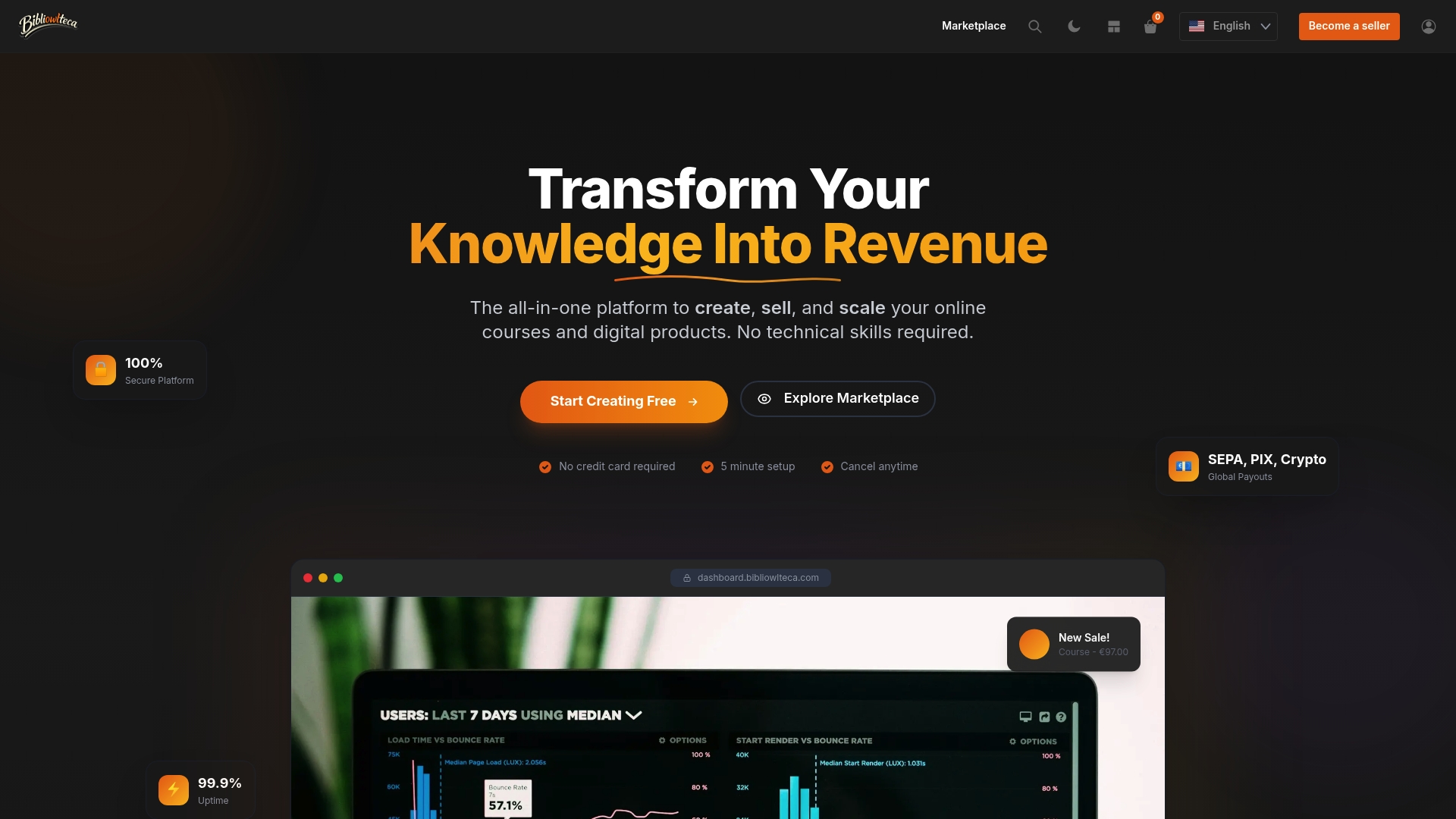
The platform supports multiple currencies and international payment methods such as Pix, SEPA, crypto and Klarna, which helps when your Figma buyers are not all in the US. If you plan to add guides, courses or mentoring around your kits, the same store handles those too. For a broader picture, see our guide to publishing and selling digital products worldwide.
Perspective: sell the system, not just the file
We see the same pattern among designers who succeed with templates. They stop thinking of a template as a file and start treating it as a small product with a customer.
That means a store you control, a clear delivery experience and a relationship with the buyer after the sale. A creator who owns the storefront can bundle a UI kit with a short course on using it, offer a mentoring session for teams, and tell past customers about the next release.
This is why we built BibliOWLteca for educational and informational creators in particular. Course hosting with video and quizzes, mentorship spaces, community features and analytics sit next to templates and downloads. The kit that teaches a workflow sells better when the teaching is part of the offer.
And because we charge a fee only when a sale happens, a designer can start with one product and grow without carrying a monthly cost through the quiet months.
BibliOWLteca
Frequently asked questions
Is it legal to sell Figma templates?
Yes. You own the design you create, and selling copies of your own work is normal. The points to watch are third-party assets inside the file, such as fonts, icons and photos, whose licences may not allow redistribution, and the rules of any platform you list on. Keep a source log and state clearly what buyers must obtain separately.
Can I link to my shop from a free Figma Community file?
Figma's paid-resource guidance prohibits third-party checkout links, advertisements and calls to buy outside its payment platform in Community files. The safe approach is to keep Community files clean and promote your shop through your profile, social accounts and email list instead. Check Figma's current guidance, because the rules can change.
How should I deliver a Figma template to a buyer?
The two usual methods are a downloadable .fig file and a PDF containing a view-only duplicate link. Add a Start Here page, a licence and a short customisation guide. Before you publish, run through the purchase and download as a buyer from a separate account.
Do I need to collect sales tax on Figma templates?
It depends on where your buyers are, how you sell and how your state treats digital products. Marketplaces often collect tax on sales they process, but you may still have obligations on direct sales and need accurate records. Talk to a US accountant about nexus and state registration for your situation.
How much should I charge for a Figma UI kit?
Published ranges for UI kits run from the tens of dollars to a few hundred, depending on scope. Compare similar kits, price by the time you save the buyer, and consider tiers for individuals and teams. Account for platform fees so you know your net per sale.
Sources
- Figma forum: Sell templates using 3rd party platforms
- Figma forum: Is it currently impossible to sell a Figma plugin?
- Figma Community Paid Resource License
- Figma Tutorial for Digital Products: Templates and UI Kits
- Figma Community Publish playbook
- Make Asset Downloads Easier for Buyers
- How to create a Figma brand guidelines template and sell it
- Digital Product Pricing Calculator
- Figma Templates That Sell (EarnifyHub)
- Understanding the tax obligations of marketplaces in the US (Stripe)
- Selling digital templates: taxes (Monaco CPA)
- 1000$ worth of sells! (Indie Hackers)