
TL;DR:
- Digital storefronts simplify global selling with integrated hosting, payments, delivery, and audience management.
- Key features to consider include course-building tools, automated delivery, storefront customization, and payment options.
- Owning your storefront provides valuable customer data, enabling long-term growth beyond marketplace limitations.
Many creators assume that selling digital products globally requires a developer, a complicated payment gateway, and weeks of technical setup. That assumption is wrong. Modern storefront platforms like Gumroad, Teachable, Kajabi, and Podia now give educators and content creators everything they need in one place: product hosting, automated delivery, audience management, and international payments. Whether you are selling an e-book, a video course, or a membership programme, the barrier to entry has never been lower. This guide walks you through what digital storefronts actually are, which features matter most, how the leading platforms compare, and how to launch successfully.
Table of Contents
- What is a digital storefront?
- Key features to look for when choosing your platform
- Comparing top digital storefront platforms for creators
- Practical steps: setting up and launching your digital storefront
- Why the digital storefront is your education business's secret weapon
- Scale your digital sales with BibliOWLteca
- Frequently asked questions
Key Takeaways
| Point | Details |
|---|---|
| Scalable platform selection | Choose a digital storefront that matches your content, audience, and scaling ambitions for better long-term business growth. |
| Compare fees smartly | Understand pricing structures and transaction fees to maximise your earnings from global e-book and course sales. |
| Automation is critical | Automated delivery, audience management, and payment handling free up your time and improve customer satisfaction. |
| Custom branding matters | Invest in storefront customisation to build trust and encourage repeat buyers. |
What is a digital storefront?
A digital storefront is an online platform that lets you list, sell, and deliver digital products to customers anywhere in the world. Think of it as your own online shop, except there is no physical stock, no shipping, and no manual invoicing. The platform handles the heavy lifting automatically.
At its core, a digital storefront performs four essential functions:
- Product hosting: Your files, videos, or course content live securely on the platform's servers.
- Payment processing: Buyers pay through integrated gateways such as Stripe or PayPal, often in their local currency.
- Automated delivery: The moment a purchase is confirmed, the buyer receives access or a download link instantly.
- Audience management: You can collect email addresses, segment buyers, and build a relationship with your customer base over time.
The scalability argument is compelling. Once your product is live, it can sell to someone in Tokyo, Toronto, or Toulouse at 3 a.m. without any action from you. That is the fundamental appeal for creators and educators who want to grow beyond one-to-one client work.
Platforms with genuine global scope include Gumroad, Teachable, Thinkific, Kajabi, Podia, Payhip, and Sellfy, all of which offer integrated payments, audience management, and automated delivery. Each has a different pricing model and feature depth, but all share the same foundational promise: remove the technical friction between your knowledge and your customer's screen.
For creators thinking seriously about growth, understanding digital sales strategies from the outset will save you from costly platform switches later. Choosing the right storefront early is a strategic decision, not just a technical one.
Key insight: A digital storefront is not just a shop. It is the entire infrastructure of your digital business: sales, delivery, and audience, all in one place.
Key features to look for when choosing your platform
Not all digital storefronts are built equally, and the features that matter most depend on what you are selling and how you plan to grow. Here is what to prioritise.
Upload and course-building tools are the foundation. Platforms like Teachable and Thinkific offer drag-and-drop builders that let you structure lessons, add video, embed quizzes, and organise modules without writing a single line of code. For e-book sellers, a simple file upload with a clean product page may be all you need.

Automated delivery is non-negotiable. Instant delivery post-purchase, support for memberships, subscriptions, drip content, and quizzes are now standard on leading platforms. Drip content, where lessons unlock on a schedule, is particularly valuable for course creators who want to guide students through a structured learning journey.
Audience and email management separates serious platforms from basic ones. The ability to tag buyers, send follow-up sequences, and segment your list by product purchased is what turns a one-time sale into a long-term customer relationship.
Here are the core features to evaluate before committing:
- File upload limits and supported formats (PDF, video, audio, ZIP)
- Course builder with quiz and completion tracking
- Membership and subscription support
- Built-in email marketing or third-party integrations
- Storefront customisation: templates, custom domains, branding colours
- Tax handling and VAT compliance for international sales
Storefront customisation ranges widely. Gumroad keeps things minimal, which suits creators who want speed over style. Podia and Shopify allow full branding, custom domains, and a polished look that builds trust with buyers.
Pro Tip: Before choosing a platform, map out your product roadmap for the next 12 months. If you plan to add a membership tier or a course bundle, confirm the platform supports it before you migrate your audience later.
If you are focused on e-books specifically, reviewing maximising income with e-books will help you understand which platform features drive the most revenue. For a broader toolkit overview, e-book tools for 2026 covers the latest options worth considering.
Comparing top digital storefront platforms for creators
Choosing a platform often comes down to fees, flexibility, and how much control you want over your brand. Here is a direct comparison of the leading options.
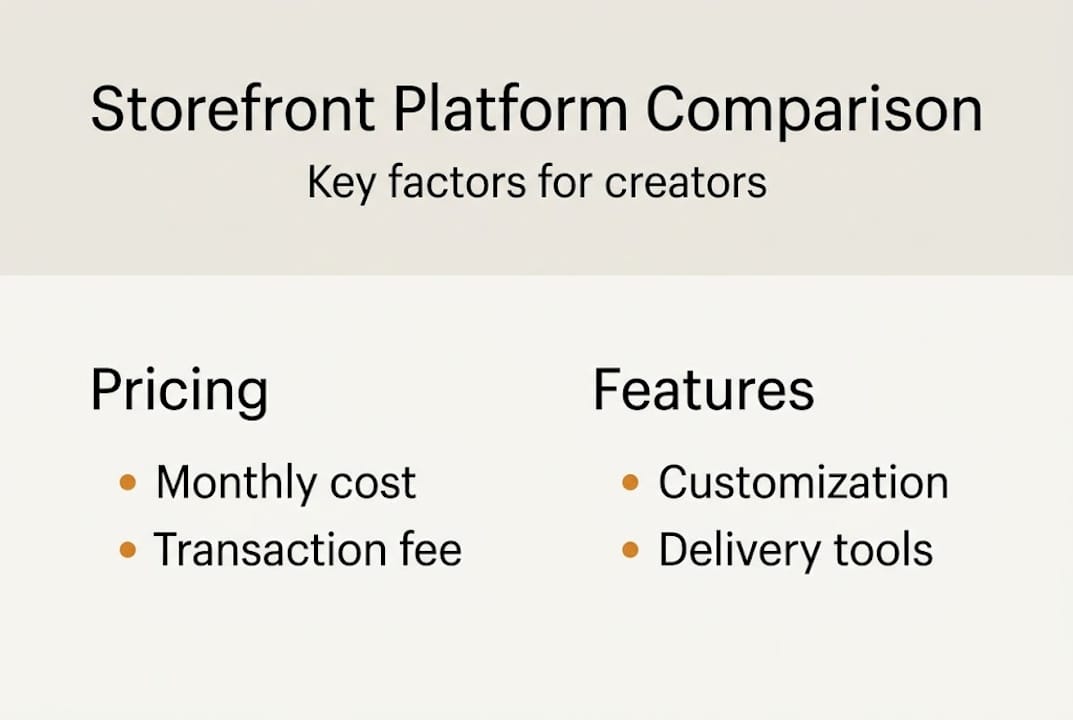
| Platform | Monthly cost | Transaction fee | Best for |
|---|---|---|---|
| Gumroad | Free | 10% + $0.50/sale | Simple e-book sales |
| Teachable | From $39 | Fees on basic plan | Structured courses |
| Kajabi | From $89 | 0% | All-in-one businesses |
| Podia | From $39 | 0% | Courses and memberships |
| Payhip | Free | 5% per sale | Budget-conscious creators |
Pricing benchmarks show a clear trade-off: lower monthly costs mean higher per-sale fees, while premium plans eliminate transaction fees entirely. For a creator selling 20 e-books a month at £20 each, Gumroad's 10% fee costs £40 monthly. Podia at £39 per month with 0% fees becomes more economical once volume grows past that threshold.
Kajabi is the strongest choice for creators building a full education business with email marketing, pipelines, and a website all included. The higher monthly cost is justified if you are replacing three or four separate tools.
Payhip is worth considering if you are just starting out and want zero upfront cost. The 5% fee is manageable at low volumes, and the platform handles VAT for EU customers automatically.
Pro Tip: Run a 12-month fee simulation before committing. Multiply your expected monthly sales by the transaction fee, then compare that total against the platform's annual subscription cost. The maths often surprises creators.
"The best platform is not the cheapest or the most feature-rich. It is the one that removes friction between your content and your customer."
If you are evaluating alternatives to specific platforms, Hotmart alternatives for courses and a review of best marketplace options offer useful context for making that final decision.
Practical steps: setting up and launching your digital storefront
Knowing which platform to choose is half the battle. The other half is executing a clean launch. Here is a step-by-step process that works.
- Create your account and choose your plan. Start with the lowest tier that includes your must-have features. You can upgrade once revenue justifies it.
- Upload your product and write a clear description. Be specific about what the buyer receives, how long a course is, or how many pages an e-book contains. Vague listings lose sales.
- Brand your storefront page. Add your logo, a consistent colour palette, and a custom domain if the platform supports it. First impressions matter, even in digital sales.
- Configure payment and delivery settings. Set your currency, connect your payout account, and confirm that automated delivery is active. Test this yourself before going live.
- Set up email capture and post-sale follow-up. Even a simple thank-you email with a next-step offer significantly increases repeat purchases.
- Run a test purchase. Buy your own product using a real payment method. Check the delivery email, the download link, and the receipt. Fix anything that feels clunky.
The drag-and-drop setup process on most modern platforms means you can go from account creation to live storefront in under two hours. That speed is an advantage, but it also means creators rush past important steps.
| Common mistake | Impact | Fix |
|---|---|---|
| Skipping branding | Looks unprofessional, reduces trust | Add logo and custom domain |
| No email capture | Lose repeat buyers | Use built-in list tools |
| Untested delivery | Buyers get broken links | Run a full test purchase |
| Vague product descriptions | Lower conversion rates | Be specific about outcomes |
For creators thinking about empowering global educators through their content, the storefront setup is also the moment to think about accessibility and language. Consider how ebooks impact education for learners in different regions and price accordingly. If you plan to offer subscriptions, reading up on recurring payment advice before launch will help you avoid common billing pitfalls.
Pro Tip: Schedule your launch for a Tuesday or Wednesday morning in your primary market's time zone. Midweek launches consistently outperform weekend ones for digital products.
Why the digital storefront is your education business's secret weapon
Here is something most platform comparison articles will not tell you: the real value of owning your storefront is not the features. It is the data.
When you sell through a marketplace like Amazon or Udemy, the platform owns the customer relationship. You get a payment. They get the email address, the purchase history, and the ability to recommend your competitor's product on the same page. That is a significant trade-off that creators often do not fully appreciate until they try to launch a second product.
Owning your storefront means owning your audience. You know who bought what, when, and at what price. You can follow up, upsell, and build genuine loyalty. The power of the marketplace model is real for discovery, but it should be a traffic source, not your entire business infrastructure.
The creators who build sustainable digital businesses treat their storefront as the centre of gravity. Social media, marketplaces, and SEO all feed into it. Nothing replaces it. Platform independence is not just a philosophical preference. It is a financial one. When a marketplace changes its algorithm or fee structure, creators without their own storefront have no fallback. Those with one simply redirect their traffic.
Scale your digital sales with BibliOWLteca
If you are ready to move from planning to publishing, BibliOWLteca gives you a purpose-built platform for selling e-books and courses to a global audience without the technical overhead.

BibliOWLteca handles multi-currency payments, automated digital delivery, and tax compliance so you can focus on creating rather than administering. Whether you are launching your first e-book or scaling an existing course catalogue, the platform is designed to grow with you. Audience management tools are built in, meaning your customer relationships stay yours from day one. Launch your storefront and start turning your knowledge into a scalable digital business today.
Frequently asked questions
How does a digital storefront handle global payments and currencies?
Most digital storefronts integrate with major processors, accepting multiple currencies and automating payouts to creators worldwide. Buyers typically pay in their local currency while you receive funds in yours.
Which platform charges the lowest fees for selling e-books?
Payhip offers a free plan with a 5% fee per sale, while Gumroad charges 10% plus $0.50 per transaction. Compare your expected monthly volume against each model to find the most cost-effective option.
Can I sell both courses and e-books from the same storefront?
Yes, most leading platforms allow you to offer e-books, video courses, and subscriptions from a single dashboard, making it straightforward to bundle products or upsell between formats.
What are the biggest mistakes when launching a digital storefront?
Creators most often skip branding, neglect to set up email capture, or fail to run a test purchase before going live. Each of these gaps directly reduces conversion rates and buyer trust.
Is audience management included in all platforms?
Most platforms include audience and email list tools, but the depth varies considerably. Kajabi and Podia offer robust built-in marketing automation, while Gumroad and Payhip provide more basic list management.
Recommended
- Maximise your expertise: global digital sales for creators
- How a digital marketplace empowers global educators
- Top 4 E-books Tools 2026
- How to sell e-books online and maximise your author income
- Create Your Own TEFL Brand: Step‑by‑Step Guide to Launching an Online English Teaching Business From Scratch | TEFL Institute