

Choose EPUB when readers will use e-readers, phones or tablets and the text just needs to flow. Choose PDF when the layout itself is the point, print runs, brochures, forms, anything where a misplaced line breaks the design. If you're selling widely, plan to produce both from one clean source file rather than treating either as a universal answer.
- EPUB: best for novels, reflowable textbooks, anything read screen-first
- PDF: best for print-ready manuscripts, brochures, contracts, forms
- Both: the safer bet if you're selling across e-reader stores and print-on-demand
- Watch out for: converting a print-laid-out file straight into an EPUB without cleaning up the structure first
Key Takeaways
Choosing between EPUB and PDF comes down to matching the format's technical behaviour, reflowable versus fixed, to how and where the reader will actually open the file.
| Point | Details |
|---|---|
| Default to EPUB for reading | Novels, textbooks and anything read on phones or e-readers benefit from reflowable text and smaller file sizes. |
| Default to PDF for fixed layout | Contracts, brochures and print-ready interiors need PDF's exact page geometry and archival features. |
| Produce both when selling widely | Marketplaces often expect EPUB for ebook editions and PDF for print or fixed-layout downloads. |
| Start from one clean source | A single manuscript with proper heading structure exports more reliably to both formats than editing each separately. |
| Test before you publish | Open the EPUB in at least two reading apps and the PDF on both desktop and mobile before release. |
Table of Contents
- What is EPUB, and how does it actually work?
- Why does PDF preserve layout so precisely?
- EPUB vs PDF: the trade-offs that actually decide it
- When should you publish EPUB, PDF, or both?
- How do you produce a reliable EPUB and a print-ready PDF from one project?
- How Bibliowlteca creators manage EPUB and PDF without the guesswork
- How much do file size and loading speed differ?
- Can you edit and annotate EPUB and PDF files the same way?
- Does search work differently in EPUB compared with PDF?
- Do EPUB and PDF handle audio, video and interactive content differently?
- What the format debate gets wrong
- Frequently asked questions
- Sources
What is EPUB, and how does it actually work?
An EPUB file is a zipped package of HTML, CSS and metadata, essentially a small website wrapped in one file you can send to a Kindle app or a Kobo. That structure is why EPUB is reflowable: the reader's device decides how the text wraps, not the author, so a paragraph that fills one line on a tablet might wrap across three on a phone.
EPUB 3, the current generation of the format, adds proper support for embedded audio and video, better navigation, and accessibility markup that older EPUB 2 files never had. Most major ebook stores now expect EPUB 3 uploads rather than the older spec, according to VitalSource's overview of the format.
Why this matters in practice:
- Readers can bump up the font size for tired eyes without the layout breaking
- Screen readers can navigate by heading because the structure is semantic HTML, not a picture of text
- A clean table of contents lets readers jump straight to Chapter 12 instead of scrolling
Pro Tip: EPUB is built on the same web technologies as any website, so if your source manuscript uses proper heading styles (H1, H2, H3) instead of manually bolded text, your EPUB export will inherit a working table of contents automatically.
The W3C's EPUB specification describes the format as one built for accessible, reflowable reading, and that accessibility angle is increasingly not optional. Distributors and some public sector buyers now ask for it by default.
Why does PDF preserve layout so precisely?
A PDF locks page geometry, fonts and image placement so the document looks identical whether it opens on a designer's monitor in London or a printer's press in Tallinn. That fixed-layout behaviour is the entire point of the format, and it's why architects, lawyers and cookbook publishers reach for PDF without a second thought.
PDF also carries features EPUB simply doesn't standardise. According to the PDF Association, these include digital signatures, redaction tools, and PDF/A, an archival subset built for documents that need to remain readable decades from now.
Where PDF pulls ahead:
- Legal contracts requiring signature fields and audit trails
- Print-ready book interiors where bleed, trim size and colour profile must be exact
- Technical manuals with diagrams that need to sit precisely next to specific text
The catch: on a phone screen, a PDF designed for an A4 page usually means constant pinching and zooming. A fixed layout that looks perfect at letter size becomes cramped and illegible at three inches wide, and that's the trade-off nobody explains until a reader complains.
EPUB vs PDF: the trade-offs that actually decide it
Every format decision here comes down to five practical tensions. Work through them against your own project and the right answer usually becomes obvious.
- Reading comfort vs print fidelity. EPUB lets the reader control type size and line spacing; PDF gives you exact control over what appears where, but only the author gets to decide.
- Accessibility. EPUB is generally the stronger choice for screen readers because it's built on semantic HTML, though a carefully tagged PDF can meet accessibility standards too, it just takes more deliberate work.
- Distribution and compatibility. EPUB is the standard for ebook stores; PDF opens natively in any browser and on every desktop without an app, which makes it the safer bet for something you're emailing rather than selling.
- Maintenance and edition control. EPUB rewards semantic structure from the start, correcting a typo rarely breaks anything. PDF is quicker to produce straight from a print layout, but editing later can shift pagination throughout the file.
- DRM and friction. Both formats can carry digital rights management, but DRM-wrapped EPUBs often require a specific app, such as Adobe Digital Editions, before a reader can open them at all, which adds friction some buyers resent.
Pro Tip: If you're weighing DRM, remember that every layer of protection you add is also a layer of friction for a paying reader. A watermarked PDF with the buyer's name embedded deters casual sharing without locking anyone out of their own purchase.
The PDF Association frames this well: PDF and EPUB solve different problems, so the smarter question isn't which format is better, it's which problem you're actually solving.
When should you publish EPUB, PDF, or both?
Two questions settle most of this in under a minute. First: does the exact visual layout matter to the content itself, diagrams next to captions, a specific typeface for a design piece? If yes, PDF. Second: will most readers open this on a phone or dedicated e-reader rather than a desktop? If yes, EPUB.
Match the content type to the format:
- Novels and narrative nonfiction → EPUB
- Poetry collections with deliberate line breaks → PDF, or a fixed-layout EPUB if you need store compatibility
- Textbooks read on tablets → EPUB, ideally EPUB 3 for interactive elements
- Forms, contracts, tax documents → PDF, always
- Print-on-demand interiors → PDF, built to the printer's exact trim size
Run through this checklist before you commit to one format alone:
- Where will most readers actually open the file, phone, e-reader, desktop or print?
- Does your target store (Apple Books, Kobo, an educational platform) require EPUB 3 specifically?
- Do you need to meet an accessibility standard for institutional buyers?
- Does the content depend on exact image and typography placement?
- Have you tested the file on at least two devices before publishing?
Pdf puts it plainly: PDF suits fixed, print-faithful presentation, while EPUB is built for long-form reading comfort. Most self-publishers selling fiction or narrative nonfiction should default to EPUB and only reach for PDF when a print edition is genuinely part of the plan.
How do you produce a reliable EPUB and a print-ready PDF from one project?
Start with one canonical manuscript, written in a word processor using proper heading styles rather than manual line breaks or forced page spacing. Every downstream problem in EPUB conversion traces back to a print-designed file being treated as an ebook source, a mistake Cambric's publishing guide flags as one of the most common pitfalls in the whole process.
- Build the EPUB first. Generate a machine-readable table of contents, fill in metadata (title, author, ISBN, language), and check that the text reflows sensibly at three different font sizes.
- Run an accessibility pass. Confirm images carry alt text and headings nest logically, so screen readers can navigate the file properly.
- Export the PDF separately. Set the correct trim size, embed every font rather than linking to it, and apply the colour profile your printer specifies, plus bleed if the design needs it.
- Test on real devices. Open the EPUB in Apple Books, Kobo and Adobe Digital Editions; open the PDF in a browser and on a phone. Check every hyperlink and confirm the table of contents actually jumps where it should.
Pro Tip: A tool like Alhora can take a single manuscript and generate both a properly structured EPUB and a print-ready PDF, which sidesteps the version drift that creeps in when you maintain two files by hand.
How Bibliowlteca creators manage EPUB and PDF without the guesswork
Most marketplaces expect EPUB for the ebook edition and PDF for anything fixed-layout or print-adjacent, and uploading the wrong one is a common reason files get bounced back for correction. Creators who work from a single source project and export both formats at the end avoid the drift that happens when an EPUB gets a typo fix and the PDF quietly doesn't.
- Keep one master file and export both formats from it, never edit the EPUB and PDF independently
- Fill in metadata fields (title, author, series, language) once, correctly, so both formats inherit the same information
- Automated delivery and multi-currency payment tools mean a creator publishing from one country can sell to a reader in another without manually reformatting anything for each region
Bibliowlteca's digital publishing guide covers this workflow in more depth, particularly for creators bundling ebooks with course material where consistency across formats matters even more.
How much do file size and loading speed differ?
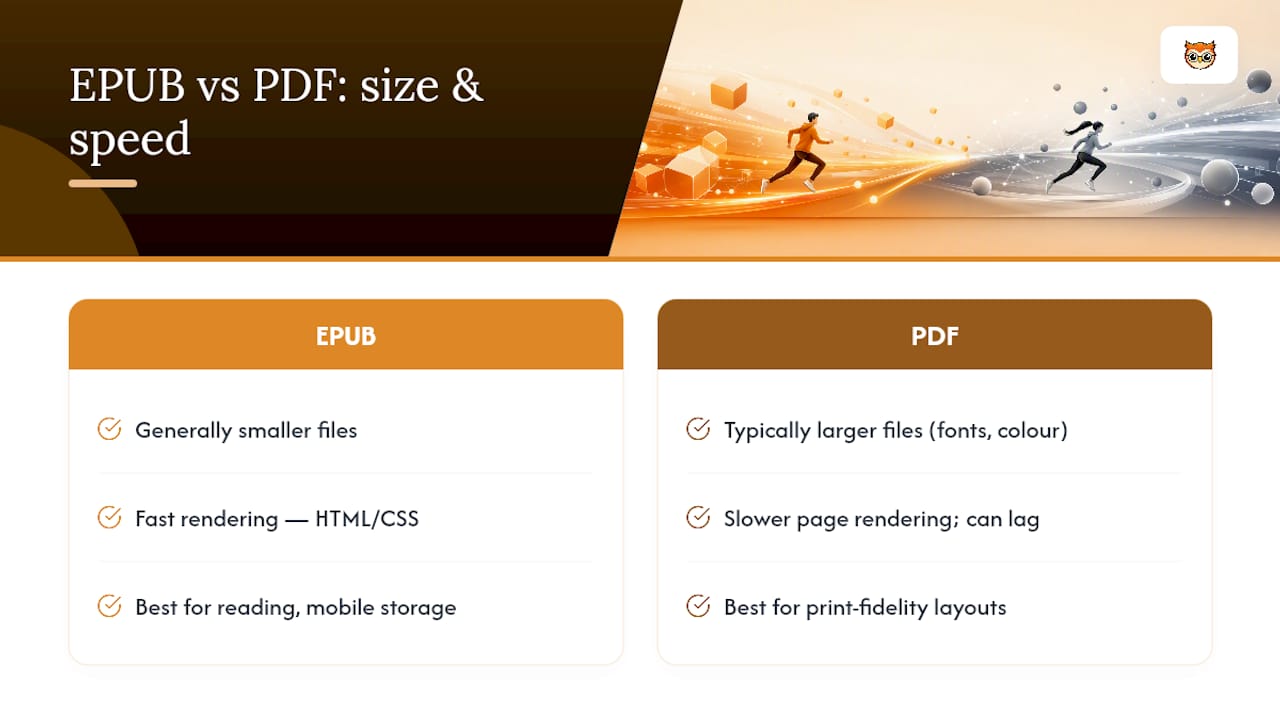
EPUB files tend to be smaller than PDFs of equivalent content because the text itself is lightweight markup rather than a rendered page image. EPUB files tend to be smaller than PDFs of equivalent content because the text itself is lightweight markup rather than a rendered page image. PDF files, especially those exported from print layouts with embedded fonts and colour profiles, typically have larger file sizes.
That size difference shows up directly in loading speed. An e-reader app has to render EPUB's HTML and CSS on the fly, which is fast because it's the same lightweight process a web browser uses every day. PDF rendering works differently: each page is essentially a fixed image of vector and raster content, and a PDF viewer has to draw that geometry precisely, which can lag on older phones or with image-heavy files.
For readers on patchy connections, or anyone downloading a book over mobile data, EPUB's smaller footprint is a genuine practical advantage, not just a technical footnote. Storage matters too if you're distributing to institutions or classrooms managing hundreds of titles at once. PDF's larger file sizes add up quickly across a library, whereas EPUB collections stay comparatively lean. This is one area where the "which is better" question has a fairly clean answer: EPUB, for anything reading-focused, unless the print fidelity genuinely justifies the extra weight.
Can you edit and annotate EPUB and PDF files the same way?
Not really, and the difference catches a lot of people out. Editing a PDF after the fact means working with fixed content: you can annotate over it, highlight, add comment bubbles, insert digital signatures, but changing the underlying text usually means going back to the original source file and re-exporting. That's fine for a signed contract you never intend to alter, less fine for a manuscript still in revision.
EPUB, being built from HTML and CSS, is technically easier to edit at the code level, but most authors aren't hand-editing markup. In practice, EPUB edits happen upstream, in the word processor or publishing tool, then get re-exported. Annotation within an EPUB reader is usually reader-side: highlighting, bookmarking, and notes that live in the reading app rather than the file itself.
For readers who like to mark up a text heavily, university students annotating a set course book, for instance, both formats support highlighting and notes, but the experience differs. PDF annotation tools (built into most PDF viewers) tend to be more mature and consistent across apps. EPUB annotation depends heavily on which app the reader uses, Apple Books handles it differently to Kobo, which handles it differently again to a browser-based reader.
Does search work differently in EPUB compared with PDF?
Both formats support text search, but how well it works depends more on how the file was built than on the format itself. A PDF created from a scanned image, a common issue with older textbooks or archived documents, has no searchable text at all unless it's been through optical character recognition. Search a scanned PDF for a specific phrase and you'll get nothing, because as far as the file is concerned, the page is a picture.
EPUB rarely has this problem, since the format is fundamentally text based. Search a well-built EPUB for a character's name and the reading app will jump straight to every instance, because it's genuinely searching text, not pattern-matching an image. This is one of the quieter advantages of EPUB's format advantages over PDF: the reflowable HTML core makes full-text search reliable by default rather than something you have to engineer in.
Where PDF does search well is in born-digital documents, contracts, reports, anything typed and exported directly rather than scanned. In that case, PDF search performs just as reliably as EPUB. The rule of thumb: if a PDF started life as a scanned page, check searchability before you publish it; if it started life as a Word document or InDesign file, it's probably fine.
Do EPUB and PDF handle audio, video and interactive content differently?
EPUB 3 was specifically built to close this gap, and it shows. The current specification supports embedded audio, video and interactive scripting directly within the file, which is why interactive textbooks, language-learning guides with embedded pronunciation clips, and children's books with tap-to-play sound effects are increasingly built as EPUB 3 rather than any alternative.

PDF's multimedia support exists but feels more bolted on. You can embed video or audio into a PDF, but playback support across viewers is inconsistent, what plays smoothly in one reader might show a blank box in another, particularly on mobile. PDF was designed as a print-fidelity format first; multimedia was added later rather than built into its foundations the way it was with EPUB 3.
For most practical purposes, if multimedia and interactivity matter to your project, a language course with audio clips, an illustrated children's book with animations, EPUB 3 is the format built for it. Bibliowlteca's look at ebooks in education goes further into how this plays out for interactive textbooks and course material specifically. PDF remains the right call when the content is static but visually precise, a printed diagram, a fixed chart, something that doesn't need to move or play sound at all.
What the format debate gets wrong
Most guides frame EPUB versus PDF as a competition with a single winner, and that framing wastes readers' time. The more useful question is production discipline: whether your source manuscript is clean enough to export reliably into either format without hours of manual fixing afterwards.
The overlooked cost isn't picking the wrong format, it's maintaining two files that quietly drift apart because they were edited separately after the fact. A typo fixed in the EPUB but not the PDF is a small embarrassment that compounds across dozens of titles. The fix isn't more vigilance, it's structure: one canonical source, exported twice, tested on real devices before either goes live.
If there's one thing worth prioritising above the format decision itself, it's building that clean source habit early, before file count grows and retrofitting becomes painful.
Frequently asked questions
Is EPUB or PDF better for selling ebooks? EPUB is generally the better default for ebook sales because it reflows to fit any screen and works across the major e-reader apps. Reserve PDF for cases where exact layout, a heavily designed cookbook or graphic novel, is essential to the reading experience.
Can I convert a PDF into an EPUB without losing quality? You can, but conversion from a print-designed PDF often introduces messy formatting, broken headings, and a missing table of contents. Starting from a clean source manuscript rather than converting an already fixed-layout PDF avoids most of these problems.
Do e-readers support both EPUB and PDF? Most dedicated e-readers and reading apps open both formats, but PDFs on small e-reader screens often require constant zooming since the layout is fixed rather than reflowable.
Does DRM work the same way on EPUB and PDF? Both formats can carry DRM, but DRM-protected EPUBs frequently require a specific app, such as Adobe Digital Editions, before a reader can open them, which adds friction that watermarked, unencrypted files avoid.
Should I publish in both formats or just pick one? If you're selling through multiple ebook stores and also offering a print edition, produce both. Creators managing this through a platform like Bibliowlteca's marketplace can upload both formats once and let automated delivery handle the rest, checking feature details for metadata and payment tools that support international sales.
Sources
- EPUB vs MOBI vs PDF: which is the best eBook format? — Adobe Acrobat
- PDF or EPUB? — PDF Association
- EPUB vs PDF: Which Format Do You Need for Your Book? — Cambric