
TL;DR:
- Effective digital curation involves four core stages: selection, organization, preservation, and access, which must be managed deliberately to keep collections relevant and discoverable. Regular pruning, metadata refinement, and reviewing collection quality ensure ongoing engagement and prevent decay. Using a disciplined approach like the 7x3 grid principle helps maintain manageable, high-quality collections that serve audience needs.
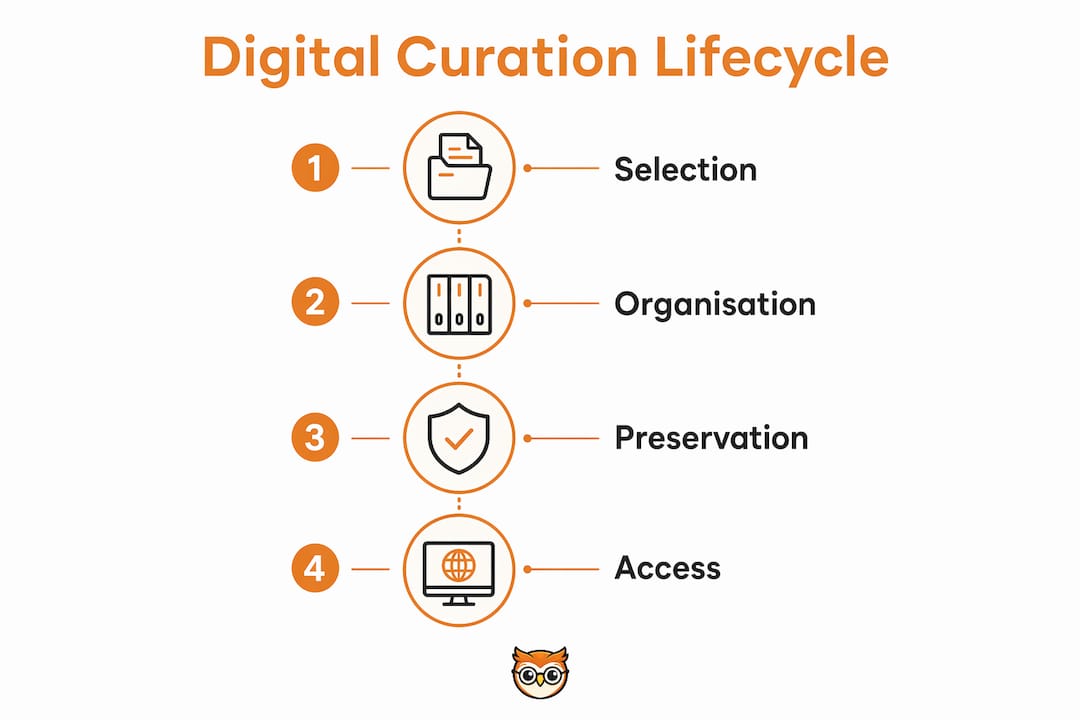
Digital curation is the active process of selecting, organising, preserving, and providing access to digital assets to create meaningful, sustainable collections. For educators, content creators, and professionals, knowing how to curate digital collections is the difference between a living resource that grows with your audience and a neglected folder that nobody visits. The Digital Curation Centre (DCC), the American Library Association (ALA), and the Digital Preservation Coalition each recognise four core stages in any effective curation lifecycle: selection, organisation, preservation, and access. Master these four stages and your collection will remain relevant, discoverable, and worth returning to.
How to curate digital collections: the four essential stages
The digital curation lifecycle consists of selection, organisation, preservation, and access. Each stage builds on the last, and neglecting any one of them causes collection decay over time.
Stage 1: Selection
Selection is where curation begins, and it is the stage most creators rush. Define your scope before you gather a single asset. Ask three questions: Who is this collection for? What problem does it solve? What quality threshold must every item meet? A collection built for secondary school teachers needs different criteria than one built for postgraduate researchers. Answering these questions upfront prevents you from accumulating material that dilutes the collection's purpose.

Stage 2: Organisation
Organisation means creating metadata and logical categories that make your collection navigable. Metadata includes titles, tags, source attribution, rights information, and descriptive notes. Good metadata enhances discoverability and facilitates efficient resource access, which is critical for user engagement. Group resources by task or user need rather than by file format. A folder labelled "PDFs" tells your audience nothing. A folder labelled "Lesson plans for KS3 history" tells them exactly where to go.
Stage 3: Preservation
Preservation protects your collection from data loss, format obsolescence, and link rot. Digital asset management (DAM) systems and collections management systems (CMS) both support preservation workflows at scale. The key practices are regular backups, format migration when file types become outdated, and checksum monitoring to detect file corruption. Preservation is not a one-time task. It is an ongoing commitment to keeping your assets intact and accessible.
Stage 4: Access
Access is the public face of your collection. Design for searchability first. Users who cannot find what they need within two or three clicks will leave. Build clear navigation, write descriptive labels, and test your interface with real users before publishing. A well-organised collection with poor access design fails its audience just as badly as a poorly organised one.
Pro Tip: Use a digital asset management system such as ResourceSpace or a collections management system to handle metadata, versioning, and access controls in one place. This prevents the common problem of assets scattered across multiple storage locations with inconsistent naming.
| Stage | Core task | Common pitfall |
|---|---|---|
| Selection | Define scope and quality criteria | Collecting too broadly without a clear audience |
| Organisation | Create metadata and logical categories | Grouping by format instead of user need |
| Preservation | Backups, format migration, checksum monitoring | Treating preservation as a one-off setup task |
| Access | Design searchable, user-friendly interfaces | Publishing without usability testing |
How can creators curate engaging and manageable digital collections?
The most common mistake in curating online collections is accumulating too much. A large collection feels thorough to its creator and overwhelming to its audience. The solution is disciplined editing, applied consistently over time.
The 7x3 grid principle
A disciplined selection of 21 items arranged in a 7x3 grid boosts engagement and prevents collection stagnation. This is not an arbitrary number. It reflects the cognitive load research behind museum exhibition design, where curators limit display items to maintain visitor attention and comprehension. For digital collections, 21 items is a useful ceiling for any single themed section. If you have more, split into sub-collections rather than expanding one unwieldy list.
The Museum Test
The Museum Test is a pruning method borrowed from physical exhibition practice. Apply it by reviewing your raw assets and selecting only the 3–12% that meet the highest quality standard. That survival rate sounds brutal, and it is meant to be. A collection where every item earns its place is far more useful than one padded with mediocre resources. Run the Museum Test whenever you add a significant batch of new material, not just at launch.
Keeping collections alive
Static archives die. A living collection requires scheduled reviews triggered by specific events: new material arrives, user behaviour changes, or a topic becomes outdated. Set a calendar trigger every quarter, or whenever you publish a new course module or e-book. During each review, ask whether each item still meets your original quality criteria. Remove anything that no longer does.
- Prune items that have broken links, outdated information, or low engagement.
- Add new items only when they meet the same quality threshold as existing ones.
- Reorder items based on what users actually search for and click first.
- Update metadata when terminology in your field changes.
- Archive rather than delete items that may have future relevance.
Pro Tip: Treat your collection as a living library, not a completed project. Schedule trigger-based reviews instead of waiting until the collection feels broken. Small, regular updates are far less disruptive than a full rebuild.
Effective curation also means curating for meaning, not just links. Thematic context and sequencing guide audience understanding in ways that a flat list of resources never can. Group items so that one leads naturally to the next, building knowledge progressively rather than presenting everything at the same level.
What metadata and organisation techniques improve discovery?
Metadata is the infrastructure of a digital collection. Without it, even the best-selected assets become unfindable. With it, users navigate confidently and return repeatedly.
The four metadata fields that matter most
Every item in your collection needs at minimum four metadata fields: a descriptive title, relevant tags, source attribution, and rights information. Descriptive titles use plain language that matches how your audience searches. Tags connect related items across different sections. Source attribution builds trust and supports academic or professional use. Rights information tells users what they can and cannot do with the material.
Grouping by task or user need is more effective than grouping by format or subject alone. An educator building a unit on climate change needs resources grouped by learning objective, not by whether they are videos, articles, or data sets. This task-based approach mirrors how academic library best practices organise collections for research workflows.
Iterative metadata improvement
Metadata does not need to be perfect at launch. Publishing early and refining metadata based on actual user search behaviour produces more usable collections than waiting for perfection. Monitor your collection's internal search logs. If users consistently search for a term you have not used as a tag, add it. If a category label generates confusion, rename it. This iterative approach keeps your metadata aligned with how your audience actually thinks.
Linking related assets within your collection adds another layer of discoverability. When a user reads a foundational article, a link to an advanced resource on the same theme extends their engagement. Museum collections use this technique to guide visitors from introductory exhibits to specialist material. The same logic applies to digital collections for educators and creators.
| Organisation approach | Best suited for | Discoverability benefit |
|---|---|---|
| By task or user need | Educational and professional collections | High: matches how users search |
| By theme or subject | Research archives and exhibitions | Medium: supports browsing |
| By format | Internal asset libraries | Low: rarely matches user intent |
| By creator or source | Curated reading lists | Medium: useful for authority-based collections |
Pro Tip: Use library cataloguing methods as a reference when building your metadata schema. You do not need a full library science qualification to apply the core principles of consistent terminology, controlled vocabularies, and hierarchical categories.
What technical methods ensure preservation and long-term access?
Preservation and curation are related but distinct. Curation is the ongoing management of a collection's content and quality. Digital preservation ensures accessibility long after the original hardware or software becomes obsolete. Both are necessary, and confusing them leads to gaps in your strategy.
Protecting files from loss and corruption
Checksum monitoring and geographical redundancy reduce catastrophic data loss risk by over 90%. Storing copies in multiple physical locations protects your collection even if a primary storage vendor fails. For most creators and educators, this means using at least two cloud storage services in different regions, combined with a local backup on physical media.
Checksum monitoring works by generating a unique fingerprint for each file at the point of creation. If the file is later corrupted, the fingerprint changes and the system flags it. This is a standard practice in library and archival workflows, and several DAM systems include it as a built-in feature.
- Store at least three copies of every master file: one local, two cloud-based in different regions.
- Run checksum verification on a scheduled basis, at minimum quarterly.
- Migrate files to current formats before legacy formats become unreadable.
- Document your preservation decisions so future maintainers understand your choices.
- Test your backup restoration process at least once a year.
Master copies versus access copies
Maintain master preservation copies separate from the user-accessible versions of your files. Master copies are high-fidelity originals, stored without compression. Access copies are optimised for performance, smaller in file size, and faster to load. This separation protects your originals while giving users a smooth experience. Never serve your master files directly to the public. If a user downloads a compressed access copy and the file degrades over time, your master remains intact.
Pro Tip: Plan for technology obsolescence from day one. Choose open, widely supported file formats such as PDF/A for documents, TIFF for images, and MP4 for video. Proprietary formats tied to specific software become inaccessible when that software is discontinued.
How do you launch and maintain a digital collection effectively?
Launching a collection is not the end of the curation process. It is the beginning of a maintenance cycle. The steps before publishing are as important as the steps after.
Before you publish
- Prune ruthlessly. Apply the Museum Test one final time before going live. Remove anything that does not meet your quality threshold, even if it means launching with fewer items than planned.
- Audit your metadata. Check every item for complete and consistent metadata fields. Missing tags and vague titles are the most common causes of poor discoverability at launch.
- Test usability. Ask three to five people from your target audience to find specific items using your collection's search and navigation. Note where they struggle and fix those points before publishing.
- Write contextual notes. Add a brief introduction to each section explaining its purpose and how to use it. Users who understand the collection's logic engage more deeply with its content.
- Set your first review date. Before you publish, schedule your first post-launch review. Three months after launch is a practical starting point for most collections.
After launch: maintaining momentum
User feedback and regular evaluations improve digital collections and increase their relevance over time. Build a simple feedback mechanism into your collection, whether that is a contact form, a rating system, or a periodic survey. Analytics tell you what users click; feedback tells you what they wish they could find. Both signals are necessary for informed maintenance.
Resist the urge to rebuild your collection from scratch when it feels outdated. Targeted updates, guided by analytics and feedback, are more effective and far less disruptive. A gradual release and refinement approach allows your collection to evolve responsively without requiring a complete overhaul every time your field changes.
Key takeaways
Effective digital curation requires a structured lifecycle of selection, organisation, preservation, and access, combined with disciplined editing and regular maintenance to keep collections relevant and discoverable.
| Point | Details |
|---|---|
| Follow the four-stage lifecycle | Selection, organisation, preservation, and access each require deliberate attention to prevent collection decay. |
| Limit collection size | A disciplined selection of around 21 items per section improves engagement and prevents audience overwhelm. |
| Apply the Museum Test | Prune raw assets to a 3–12% survival rate, keeping only the highest-quality items in your collection. |
| Separate master and access copies | Store high-fidelity originals separately from compressed user-facing files to protect long-term integrity. |
| Iterate metadata after launch | Refine tags and categories based on real user search behaviour rather than waiting for perfect metadata at launch. |
The curation mindset most creators never develop
The technical side of digital curation is learnable in a weekend. The harder shift is psychological. Most creators treat a collection as a project with a finish line. They gather, organise, publish, and move on. The collection then sits unchanged while the world around it evolves, and within a year it feels stale.
The curators I find most effective treat their collections the way a good editor treats a publication. They are never finished. They are always asking whether each item still earns its place, whether the sequence still makes sense, and whether the audience's needs have shifted. That mindset produces collections that feel alive rather than archived.
Thematic coherence is the quality that separates a useful collection from a memorable one. Anyone can compile a list of links. Arranging those links so that one leads naturally to the next, building understanding progressively, requires genuine editorial judgement. That judgement is what your audience is actually paying for when they engage with your collection, whether they articulate it or not.
My honest advice: start smaller than feels comfortable. Launch with ten items you are genuinely proud of rather than fifty items you are merely satisfied with. The discipline of that initial selection will shape how you curate everything that follows. Perfectionism applied at the start is an asset. Perfectionism applied at the maintenance stage is a liability. Publish early, iterate often, and let your audience's behaviour tell you what the collection needs next.
— BibliOWLteca
Bibliowlteca: a platform built for digital collection creators
Creators who invest in curating high-quality digital collections deserve a distribution platform that matches that effort. Bibliowlteca is built for exactly that purpose.

On the Bibliowlteca marketplace, you can publish and sell e-books, courses, mentorships, and curated digital products to a global audience. The platform handles payment processing, tax compliance, and digital delivery across multiple currencies, so you focus on the content rather than the logistics. Whether you are launching your first curated resource collection or scaling an established educational library, Bibliowlteca gives you the infrastructure to reach creators and learners worldwide. Browse the platform features to see how it supports every stage of your digital publishing workflow.
FAQ
What is digital curation?
Digital curation is the active management of digital assets through selection, organisation, preservation, and access. The Digital Curation Centre defines it as maintaining and adding value to a trusted body of digital information for current and future use.
How many items should a curated digital collection contain?
A single themed section works best with around 21 items, following the 7x3 grid principle used in museum exhibition design. Smaller, tighter collections consistently outperform large, unfocused ones for user engagement and discoverability.
What is the difference between digital curation and digital preservation?
Digital curation is the ongoing management of a collection's content, quality, and relevance. Digital preservation focuses specifically on ensuring long-term accessibility after original hardware or software becomes obsolete. Both practices are necessary but serve different purposes.
How often should I update a digital collection?
Schedule a review at least every quarter, or whenever significant new material becomes available in your field. Libraries and museums that conduct regular evaluations report higher user satisfaction and stronger alignment with audience needs.
Why does metadata matter for digital collections?
Metadata makes your collection findable. Descriptive titles, tags, source attribution, and rights information allow users to locate specific items quickly and understand how to use them. Collections with poor metadata are effectively invisible to search, regardless of their content quality.