
TL;DR:
- Organizing scholarly resources involves systematic naming, categorizing, and tagging to keep sources retrievable and accurate.
- Using tools like Zotero, Mendeley, or EndNote with AI metadata extraction supports building scalable research libraries.
Organising scholarly resources is defined as the systematic process of naming, categorising, tagging, and maintaining academic sources so they remain retrievable, accurate, and usable throughout a research project. Without a deliberate system, even a collection of 50 papers becomes unmanageable. Tools like Zotero, Mendeley, and EndNote, combined with AI-driven metadata extraction, now make it possible to build a research library that scales to hundreds of sources without losing control. The researchers who work most efficiently do not just save files. They build systems.
What are the essential elements of a scholarly resource organisation system?
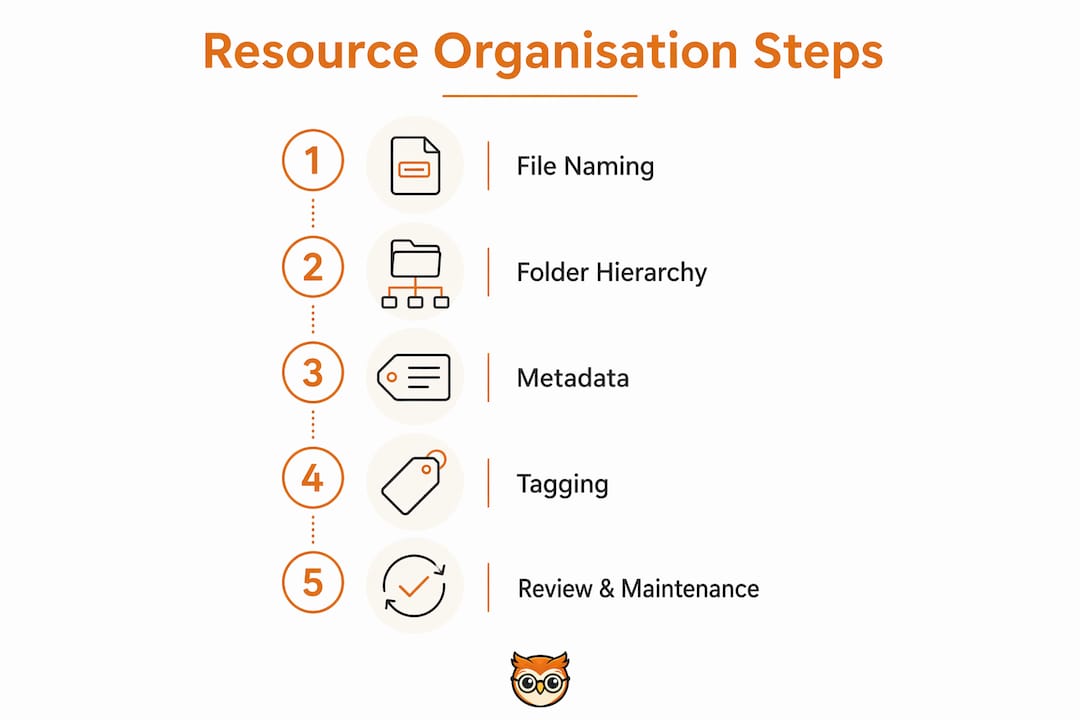
A well-structured organisation system rests on three components: consistent file naming, a project-based folder hierarchy, and metadata-rich tagging. Each component solves a different problem. File naming makes sources visually identifiable at a glance. Folder hierarchies group sources by project context. Tags connect sources across themes that folders cannot capture.

File naming conventions
The standard file naming format for academic papers is (Author, Year) - ShortTitle.pdf. This citation-compliant naming convention speeds up retrieval because you can scan a folder and immediately identify a source without opening it. A file named (Smith, 2022) - CognitiveBiasReview.pdf tells you the author, year, and subject in under two seconds. Rename every file the moment you download it.
Project-based folder hierarchies
Folders work best when kept shallow. A three-tier structure of Projects, Collections, and Tags scales well beyond 300 papers without becoming unwieldy. The top tier holds your active projects, such as a dissertation or a journal article. The second tier holds collections within each project, such as "Literature Review" or "Methodology Sources." The third tier is where tagging takes over from folders entirely.
Metadata as the backbone of retrieval
Metadata is the structured information attached to a source: author, year, journal, DOI, abstract, and keywords. Reference managers like Zotero and Mendeley store and display this data automatically. Good metadata means you can search your entire library by keyword or author in seconds, rather than clicking through folders. The importance of metadata in libraries is not theoretical. It is the difference between finding a source in ten seconds and losing it entirely.
| Component | Function | Best tool |
|---|---|---|
| File naming | Visual identification without opening files | Manual convention or Zotero auto-rename |
| Folder hierarchy | Group sources by project and sub-topic | File system or Zotero collections |
| Tags | Cross-theme classification | Zotero, Mendeley tag fields |
| Metadata | Searchable citation data | Zotero, Mendeley, EndNote |
| Annotations | In-source notes and highlights | Zotero PDF reader, Mendeley |
Pro Tip: Set up your file naming convention before you download your first source. Retrofitting a naming system across 200 files wastes hours and introduces errors.
How do tags improve on traditional folder hierarchies?
Tags solve the single biggest limitation of folder trees: a file can only live in one folder at a time. A paper on cognitive bias in medical decision-making belongs in both a "Psychology" folder and a "Healthcare" folder. In a folder-only system, you must choose one. With tags, you assign both, and the paper appears in searches for either theme.
Deep folder trees create a different problem. When you nest folders five or six levels deep, you spend more time navigating than reading. A shallow hierarchy of two to three levels, combined with tags, outperforms deep nesting for both retrieval speed and cross-disciplinary insight.
How tags create a conceptual web
Tags form a conceptual web across your library, revealing connections between papers that folder-only systems hide. A tag like "replication crisis" might link papers from psychology, nutrition science, and economics. That connection would never surface if each paper sat in a separate discipline folder. Tags do not just organise. They generate new research directions.
Effective tagging uses two types of tags:
- Thematic tags describe the subject matter: "cognitive bias", "meta-analysis", "qualitative methods", "climate policy"
- Status tags describe your relationship to the source: "to-read", "core", "cited", "background", "disputed"
Status tags are underused by most researchers. Marking a paper as "core" tells you instantly which sources anchor your argument. Marking one as "to-read" prevents the common habit of saving sources you never return to.
Building a tagging system that you will actually use
The most common mistake with tagging is over-engineering it from the start. Starting with broad categories and allowing them to narrow naturally produces a system you will maintain. If you begin with 40 highly specific tags, you will abandon the system within a fortnight because the cognitive load of choosing the right tag outweighs the benefit.
Start with five to eight thematic tags and five status tags. Add new thematic tags only when a clear gap appears. Review your tag list every month and merge any that overlap. A lean tag system used consistently beats a complex one used sporadically.
Pro Tip: In Zotero, you can colour-code tags. Assign a distinct colour to status tags like "core" and "to-read" so they stand out visually in your library panel without any extra clicks.
Which digital tools best support organising academic papers in 2026?
Three reference managers dominate academic research workflows: Zotero, Mendeley, and EndNote. Each handles the core tasks of citation storage, metadata management, and bibliography export. They differ in cost, collaboration features, and integration depth.
Zotero is free, open-source, and integrates directly with browsers via a one-click save button. It supports PDF annotation, tag management, and group libraries for collaborative projects. Zotero's browser connector captures metadata automatically from most academic databases, including JSTOR, PubMed, and Google Scholar.
Mendeley is owned by Elsevier and offers a free tier with cloud storage for PDFs. Its strength is the social layer: you can follow other researchers and discover papers through their public libraries. Mendeley also integrates with Microsoft Word and LibreOffice for in-text citation insertion.
EndNote is the choice for large institutional projects. It costs significantly more than Zotero or Mendeley but offers the deepest integration with publisher databases and the most citation style options. Many universities provide EndNote licences to staff and postgraduate students.
AI-driven metadata extraction
AI metadata tools now extract citation data from PDFs with up to 97% accuracy. That accuracy rate matters because manual metadata entry is the single most time-consuming part of building a reference library. Even at 97%, manual verification remains necessary for older or poorly formatted PDFs. The practical workflow is: import the PDF, let the tool extract metadata, then spend 30 seconds checking the author, year, and title fields.
| Tool | Cost | AI metadata | Annotation | Collaboration |
|---|---|---|---|---|
| Zotero | Free | Yes (browser connector) | Yes (built-in PDF reader) | Yes (group libraries) |
| Mendeley | Free / paid tiers | Yes | Yes | Yes (social library) |
| EndNote | Paid (institutional licence) | Yes | Yes | Limited |
- Zotero works best for researchers who want a free, flexible system with strong browser integration.
- Mendeley suits researchers who benefit from social discovery and Elsevier database access.
- EndNote suits institutional researchers who need deep publisher integration and advanced citation styles.
For managing library resources effectively at scale, Zotero's combination of free access, AI metadata capture, and group libraries makes it the strongest starting point for most researchers in 2026.
What are the best practices for maintaining a scholarly resource library?
A research library is not a static archive. It degrades without regular attention. Duplicate files accumulate, metadata becomes inconsistent, and sources saved months ago lose their context. The following maintenance routine prevents these problems.
-
Conduct a biweekly audit. A 30-minute review every 14 days keeps your library healthy. During each audit, merge duplicate entries, rename any files that do not follow your naming convention, and delete sources that are no longer relevant to your project.
-
Annotate at the moment of capture. Saving and annotating sources immediately upon discovery prevents the loss of context. Write one sentence in the notes field explaining why you saved the source and how it connects to your argument. Three weeks later, that note is the difference between a useful source and a mystery PDF.
-
Use a reading log. A simple spreadsheet or a notes field in your reference manager tracks which sources you have read, which are partially read, and which are unread. Status tags like "to-read" and "cited" serve the same function inside Zotero or Mendeley.
-
Read primary sources directly. Secondary citation bias occurs when you cite a source based on another author's description of it rather than reading it yourself. This introduces inaccuracies and misinterpretations into your work. Always trace a reference back to the original paper before citing it.
-
Export and verify before writing. Before you begin drafting, export your full bibliography from your reference manager and check it against your institution's required citation style. Errors caught at this stage take seconds to fix. Errors caught after submission take considerably longer.
"High-performing researchers maintain a single consistent action: they capture, label, and annotate every source at the moment of discovery. This one habit eliminates the most common cause of disorganised libraries." — PageStash Blog, 2026
Pro Tip: Create a "Review Queue" collection in Zotero for sources you have saved but not yet read. Move items out of this collection only after you have annotated them. This keeps your active library clean and your reading list visible.
Key takeaways
Effective scholarly resource management requires consistent file naming, shallow folder hierarchies, robust tagging, and regular biweekly maintenance to remain usable at scale.
| Point | Details |
|---|---|
| Use a standard file naming format | Name files as (Author, Year) - ShortTitle.pdf for instant visual identification. |
| Keep folder hierarchies shallow | Limit folders to two to three levels and use tags for cross-theme classification. |
| Tag with both themes and status | Combine thematic tags with status tags like "core" and "to-read" for full control. |
| Audit your library every 14 days | A 30-minute biweekly review prevents duplicates and keeps metadata consistent. |
| Always read primary sources | Avoid secondary citation bias by tracing every reference back to its original paper. |
The system that actually survives a long project
The most common mistake researchers make is building a beautiful organisation system at the start of a project and abandoning it by week three. I have seen this pattern repeatedly at Bibliowlteca, working with educators and researchers who come to us after losing control of their source libraries mid-project.
The problem is almost never laziness. It is complexity. When a system requires too many decisions at the point of capture, people stop using it. They save files to the desktop, open 30 browser tabs, and tell themselves they will sort it later. Later never comes.
The systems that survive long projects share one quality: they are boring. A flat folder structure with a consistent naming convention and eight tags is not exciting. It is also the system you will still be using in month six. The researchers I have seen produce the most reliable work do not have the most elaborate systems. They have the most consistent ones.
There is also a counterintuitive truth about curating educational resources: the act of annotating a source at the moment you save it is not just an organisational habit. It is a thinking habit. Writing one sentence about why a paper matters forces you to engage with it immediately. That engagement shapes how you later use the source in your writing. Researchers who annotate on capture write better literature reviews than those who annotate retrospectively.
Start simple. Name your files consistently. Use five tags. Audit every two weeks. Add complexity only when a genuine gap appears. That is the system that works.
— Bibliowlteca
Discover how Bibliowlteca supports your academic workflow
Bibliowlteca is built for educators and researchers who want to turn their knowledge into accessible digital content. Whether you are publishing an e-book, a course, or a curated resource collection, the platform handles digital delivery, payment processing, and global distribution in one place.

Researchers who have mastered organising their scholarly sources often find the next step is sharing that knowledge with others. Bibliowlteca makes that transition straightforward. You can explore the full platform to see how it supports academic creators at every stage, from organising content to selling it globally. The platform features include tools for courses, e-books, mentorships, and international payments, all designed to help you reach a wider audience with the work you have already done.
FAQ
What is the best tool for organising academic papers in 2026?
Zotero is the strongest choice for most researchers. It is free, supports AI-driven metadata extraction, PDF annotation, and group libraries for collaborative projects.
How do I categorise scholarly articles across multiple topics?
Use tags rather than folders for cross-topic classification. A single paper can carry multiple thematic tags, allowing it to appear in searches for any of its relevant subjects.
How often should I audit my research library?
A 30-minute audit every 14 days is the recommended cadence. Use this time to merge duplicates, fix file names, and remove irrelevant sources.
What is secondary citation bias and why does it matter?
Secondary citation bias occurs when you cite a source based on another author's description rather than reading it yourself. It introduces inaccuracies and risks misrepresenting the original research.
How do I create a research library that scales beyond 100 sources?
A three-tier system of Projects, Collections, and Tags scales reliably beyond 300 sources. Keep folders shallow and rely on tags for cross-theme retrieval as your library grows.