
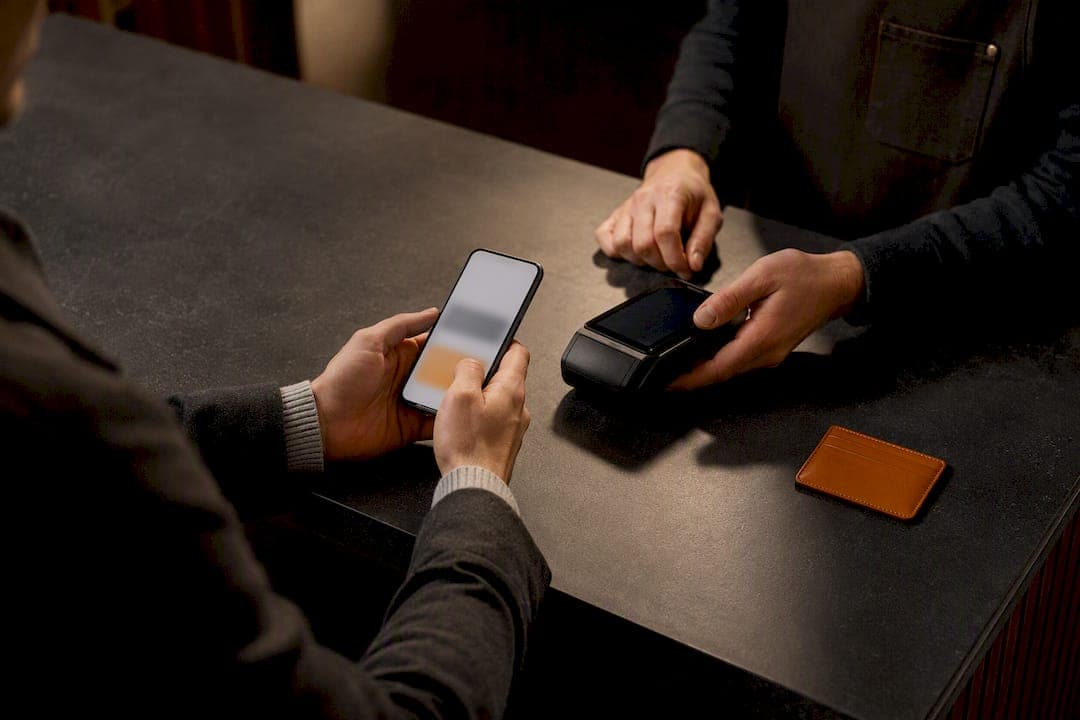
For quick and safe mobiiliostud digipoes, start at established national electronics retailers or your operator's own e‑shop rather than an unfamiliar marketplace. Before you tap "buy," switch on your saved mobile wallet or express checkout and check the delivery and return terms first. Everything else, comparing offers, spotting hidden fees, finishing checkout without a hitch, follows from that one habit.
TL;DR:
- Prioritize shopping at national retailers or operator shops that provide clear specifications, warranty details, and trustworthy delivery estimates on their mobile-friendly pages.
- Never forget to add up total costs including shipping and hidden fees, verify warranty length, and check for SIM locks or bundles when comparing offers on your phone.
- Use saved digital wallets and confirm HTTPS security to boost checkout success; always screenshot order confirmations and double-check model codes before finalizing purchase.
- Check delivery times, returns policies, and warranty ownership carefully, especially if items ship from outside Estonia or involve international shipping procedures.
- Prepare payment methods in advance, avoid completing transactions over public Wi-Fi, and use cart-save features to ensure a smoother mobile buying experience.
Table of Contents
- Where to buy a phone online and what a good mobile product page shows
- How do you compare phone offers quickly on your phone?
- What are the best payment and checkout tips for buying on mobile?
- Delivery, returns and warranty: what to check before you pay
- Your mobile checkout checklist and a few tips most people skip
- Why Bibliowlteca publishes this guide
- Sell your own digital guides the way you shop for a phone
- Sources
- FAQ
Where to buy a phone online and what a good mobile product page shows
Estonian shoppers researching oma domeen e-poele style retailers, meaning shops running their own domains rather than third-party listings, generally have four channels worth checking on a phone screen.
- National electronics retailers carry the widest stock and usually run their own delivery network, so returns and warranty claims stay local.
- Operator or carrier e‑shops are worth checking if you want a subsidised handset tied to a plan, though watch for SIM locks.
- Specialist mobile shops often beat the big chains on refurbished or last‑generation models.
- Marketplaces offer volume and price competition, but seller identity and after‑sales support vary far more than on a retailer's own site.
Whichever channel you pick, a trustworthy mobile product page shows the same essentials: full specifications, several genuine product photos, explicit network and SIM compatibility, a stated warranty length, and a realistic delivery estimate on mobile-friendly store pages. Trust signals matter just as much on a small screen: look for HTTPS in the address bar, a visible returns policy, VAT‑inclusive pricing shown up front, and a layout that doesn't force you to pinch and zoom to read the price. If any of those are missing or buried three taps deep, that's a page worth abandoning before you type in a card number.
How do you compare phone offers quickly on your phone?
Comparing two or three offers on a five‑inch screen without twenty open tabs takes a system, not patience. Run through this in order:
- Add up the total cost. Price plus shipping plus any card or service fee, not just the headline number. Hidden fees on mobile checkouts tend to appear only at the final step, so check the basket total before you commit to a payment method.
- Check who backs the warranty and for how long. Some retailers offer only the manufacturer's statutory cover; others add their own extended terms. Note the return window too, since it varies from a few days to a month depending on the seller.
- Look for bundles and locks. A "free" case or charger sounds generous until you realise the phone is SIM‑locked to a two‑year contract you didn't plan for.
- Read the financing terms properly. If instalments or buy‑now‑pay‑later are offered, find the APR and the total payable amount, not just the monthly figure shown in bold.
- Confirm you're comparing the same model. Copy the exact product code or take a screenshot, then search that code across two other shops. Model numbers with a single extra letter often mean a different storage size or region variant.
Pro Tip: Screenshot the product page the moment you find a good price. Stock, price, and even the listed warranty length can change within hours on popular models, and a screenshot gives you evidence if the page changes before you check out.
What are the best payment and checkout tips for buying on mobile?
Mobile shoppers abandon carts far more often than desktop shoppers, largely because typing card details on a phone keyboard is fiddly and slow. Enabling wallets and cutting form fields is one of the highest‑impact fixes retailers can make, and it can more than double completion rates on some checkout pages, according to checkout data from Attribute. As a buyer, you can push that advantage in your own favour:
- Use Apple Pay, Google Pay, or another saved wallet wherever the express checkout button appears, rather than typing a card number from memory.
- Choose guest checkout if you're in a hurry, but turn on cart persistence first so you can pick up the order later if you switch to a laptop.
- Confirm HTTPS and the named payment provider before entering details, and never finish a purchase over public Wi‑Fi.
- Keep the order confirmation screen or email, ideally as a screenshot, in case the retailer's system loses the record.
- If you use buy‑now‑pay‑later, read the full repayment schedule and returns policy before confirming. Returning a BNPL‑financed phone can be slower than a straightforward card refund.
Despite most Estonian retailers adapting their checkout pages for mobile screens, only a small share supported digital wallets in one industry sample, meaning plenty of shops still force manual card entry even on a phone that's perfectly capable of Apple Pay, according to E‑kaubanduseliit's coverage of a Stripe study. That gap is worth remembering: a shop without wallet support isn't necessarily untrustworthy, just slower to type through.
Delivery, returns and warranty: what to check before you pay
A low price means little if the phone arrives in ten days or the return process eats a week of messages. Before paying, check these:
- Delivery speed and cost. Compare home delivery against a parcel locker or pickup point, and confirm whether tracking is included as standard.
- The returns policy in full. Note the length of the return window, who covers return postage, and whether the item must be unopened or simply unused.
- Who actually owns the warranty. Some retailers handle repairs and replacements directly; others hand you straight to the manufacturer, which can mean posting the phone abroad.
- Origin of the shipment. If a seller ships from outside Estonia, check whether import duties apply, how long transit actually takes, and whether returns are handled locally or require sending the phone back out of the country.
Your mobile checkout checklist and a few tips most people skip
Run this sequence and a phone purchase rarely goes wrong:
- Prepare your payment method and confirm your mobile wallet is active before you start browsing.
- Read the delivery and return terms on the product page itself, not just the shop's general policy page.
- Complete checkout, then save the order confirmation as a screenshot immediately.
- Note the product code, IMEI, or EAN somewhere safe. You'll need it for warranty claims or if the phone needs reporting lost.
A few details that catch out even careful buyers: make sure payment fields open a numeric keypad rather than a full alphabet keyboard, since a fiddly text keyboard on a card‑number field is a common reason people abandon checkout halfway through. Turn on order‑tracking alerts so you're not refreshing a tracking page manually. And if you start browsing on your phone during a commute but want to finish later, look for a "save cart" or email‑cart option; a meaningful share of mobile shoppers research on their phone and complete the purchase later on a desktop, and cart‑sync features exist specifically to catch that behaviour without losing your basket.
Pro Tip: If a product page doesn't clearly state the warranty length, open the retailer's live chat from your phone and ask directly. Screenshot the answer. A written confirmation from support is far more useful in a dispute than a memory of what someone told you.
Why Bibliowlteca publishes this guide
Bibliowlteca builds tools for people selling digital products, courses, and templates, which means we spend a lot of time thinking about checkout flows, payment methods, and what makes a buyer trust a page enough to finish a purchase. That experience with mobile-friendly storefront design applies just as much to a phone shop's checkout as it does to a course landing page. If you sell digital products alongside physical stock, our notes on checkout fixes for creators are worth a look.
— BibliOWLteca
Sell your own digital guides the way you shop for a phone
Bibliowlteca is built for the same instinct that makes a phone purchase go smoothly: a clear product page, a payment method that just works, and no hidden friction between browsing and buying. If this guide is the kind of practical resource you'd want to write and sell yourself, whether it's a mobile‑buying checklist, a course, or a template pack, Bibliowlteca charges no monthly fee and only takes a transaction fee from 0.99€ once you actually earn something.

The Creator Plan gives you a customisable storefront, global payment options including mobile wallets, and instant digital delivery, so buyers get the same fast, trustworthy checkout experience described throughout this article. You can list ebooks, courses, templates, and other digital downloads without chasing separate payment integrations for each currency or market. Set up your storefront on Bibliowlteca and see how a mobile-first checkout page looks from the seller's side.
Sources
- Mobile vs Desktop Checkout: 2025 Data | Attribute Blog
- Stripe’i uuringust selgusid lihtsad e‑poe müüki vähendavad vead | E‑kaubanduseliit
FAQ
Is It Safe to Buy a Phone on My Mobile Browser?
Yes, provided the shop uses HTTPS, shows a genuine returns policy, and offers a recognised payment provider or mobile wallet. Avoid completing payment over public Wi‑Fi and always save your confirmation screen.
Why Do Mobile Checkouts Fail More Often Than Desktop Ones?
Typing card details on a small keyboard causes more errors and abandonment than filling the same form on a laptop. Enabling mobile wallets fixes most of this, since it removes manual typing entirely, and can noticeably lift completion rates according to Attribute's checkout research.
How Long Should I Expect Delivery to Take for a Phone Order?
Delivery speed depends entirely on the retailer and whether you choose home delivery or a pickup point, so always check the specific estimate on the product page rather than assuming a standard timeline. Orders shipped from abroad typically take longer and may involve import duties.
What Should I Do if a Product Page Doesn't List a Warranty?
Contact the retailer's live chat before buying and ask directly who handles repairs, the manufacturer or the shop, and screenshot the answer. Written confirmation from support protects you if a dispute comes up later.
Does Bibliowlteca Sell Phones or Only Digital Products?
Bibliowlteca is a marketplace for digital products such as ebooks, courses, templates, and other downloads, not physical electronics. Creators can use its Creator Plan to sell guides on topics like mobile shopping safety, with a transaction fee starting from 0.99€ per sale.