
Many content creators struggle with achieving professional-quality digitisation beyond simple scanning. Digitising books preserves valuable content and unlocks global distribution opportunities, yet the path from physical pages to polished e-books remains unclear for most. Global e-book readership is projected to reach 1.2 billion by 2030, making now the perfect time to master this skill. This guide will equip you with a clear workflow to confidently digitise books step by step.
Table of Contents
- Prerequisites and tools needed for book digitisation
- Step 1: Preparing physical books for digitisation
- Step 2: Scanning the book effectively
- Step 3: OCR processing and editing for quality text
- Step 4: Metadata, formatting and file preparation
- Step 5: Publishing and distributing digitised books
- Common mistakes and troubleshooting in book digitisation
- Expected results and success metrics for digitised books
- Discover easy book digitisation with BibliOWLteca
- Frequently asked questions
Key takeaways
| Point | Details |
|---|---|
| Digitising books involves preparation, scanning, OCR, formatting, metadata addition, and distribution | Each stage requires specific tools and techniques to produce professional results |
| Non-destructive scanning protects book integrity, especially important for fragile volumes | Overhead scanners preserve bindings whilst flatbed methods may require unbinding |
| OCR software converts images to searchable text with accuracy over 98% | This transformation makes e-books functional and user-friendly for readers |
| Proper metadata improves discoverability on digital platforms by up to 50% | Title, author, ISBN, and publication date fields are critical for search rankings |
| Backing up files locally and on the cloud prevents data loss | Organised folder structures and multiple backups ensure long-term content preservation |
Prerequisites and tools needed for book digitisation
Before starting your digitisation project, assembling the right equipment and software saves countless hours and prevents costly mistakes. Your scanner choice fundamentally shapes your workflow. Flatbed scanners work well for destructively scanned books where you remove the binding, whilst overhead or projector scanners enable non-destructive approaches that preserve the original volume intact. A high-resolution camera offers a budget-friendly alternative for manual page capture, though it requires more manual effort.
OCR software selection is critical for converting images into editable text. Recommended OCR software includes Adobe Acrobat, ABBYY FineReader, and ScanTailor due to their high accuracy. Your computer needs adequate storage capacity, as raw scans consume significant space before compression. A reliable backup solution, combining local external drives with cloud storage, protects against data loss throughout the project.
| Tool Category | Recommended Options | Purpose |
|---|---|---|
| Scanner | Overhead, flatbed, or high-resolution camera | Captures page images |
| OCR Software | Adobe Acrobat, ABBYY FineReader, ScanTailor | Converts images to searchable text |
| Storage | External drive plus cloud backup | Protects against data loss |
| Workspace | Well-lit, clean, flat surface | Ensures quality scanning |
Your workspace requirements directly impact scan quality. Position your scanning area near a window for natural light, or invest in adjustable LED lamps to eliminate shadows. Keep the surface clean and flat to prevent debris from appearing in scans. This preparation stage determines whether your final e-books meet professional standards or require frustrating reshoots.
Pro Tip: Test your complete workflow on a single chapter before committing to an entire book, allowing you to refine settings and identify potential issues early.
Step 1: Preparing physical books for digitisation
Proper book preparation prevents damage and optimises scan quality from the first page. Start by inspecting each volume for existing damage, loose pages, or brittle paper that might tear during handling. Clean dust and debris gently using a soft, dry brush, as particles create spots and shadows in your scans.
Flattening pages carefully ensures even scans and reduces shadows along the spine. Place books face-down on your scanner or under your overhead camera, applying gentle pressure to eliminate gaps without forcing the binding. Your decision between destructive and non-destructive scanning depends entirely on book condition and value. Fragile and brittle books over 50 years old require professional handling to avoid damage during scanning.
- Inspect books thoroughly for damage, marking problematic pages for special attention
- Clean surfaces gently with soft brushes, avoiding liquids that might stain or warp pages
- Flatten pages evenly, using weights only on sturdy volumes to prevent binding stress
- Decide scanning method based on book value, with rare volumes always handled non-destructively
- Handle books with clean hands, avoiding pressure on fragile areas like spine connections
Destructive scanning, where you carefully remove the binding, allows for faster batch processing through automatic document feeders. This approach suits modern paperbacks or books with minimal collector value. Non-destructive methods preserve your original volumes but require more time per page. Consider the book's replacement cost, sentimental value, and physical condition when making this decision.
Pro Tip: Photograph the book's cover, spine, and any unique features before starting, creating a visual reference for metadata entry and marketing later.
Step 2: Scanning the book effectively
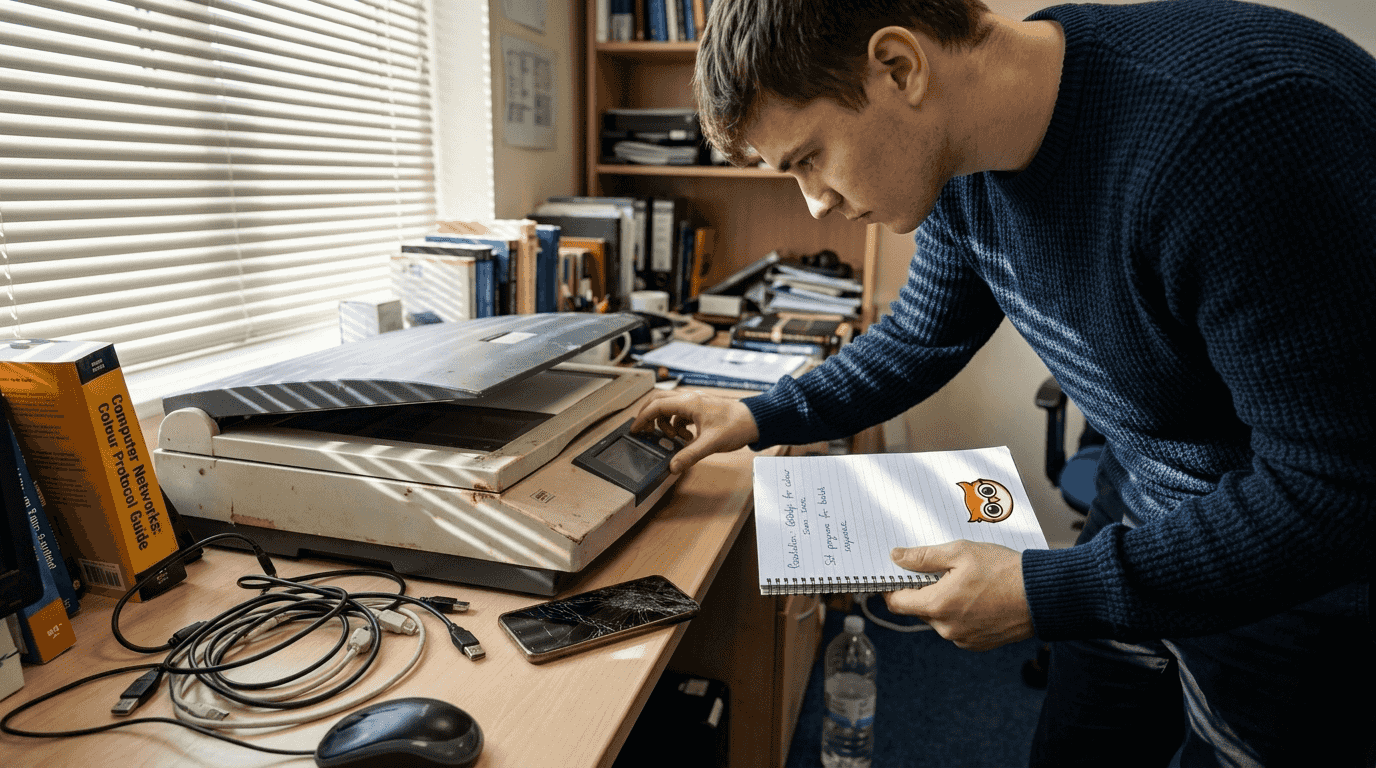
Scanning settings and techniques directly determine your final e-book quality, so getting this stage right prevents extensive corrections later. Using overhead scanners preserves book binding and reduces damage compared to flatbed scanners requiring unbinding. Position books carefully to keep pages flat and parallel to the scanner bed or camera sensor.
Resolution settings balance image clarity with manageable file sizes. Scanning at 300 to 600 DPI balances image clarity with file size for digital books. Choose 300 DPI for standard text-only pages and increase to 600 DPI when preserving detailed illustrations, diagrams, or photographs. Higher resolutions create unnecessarily large files that slow processing without improving readability.
| Resolution | Best Use Case | File Size Impact |
|---|---|---|
| 300 DPI | Standard text pages | Moderate, manageable |
| 400-500 DPI | Mixed text and simple graphics | Larger, still workable |
| 600 DPI | Detailed illustrations, photographs | Largest, requires more storage |
Lighting quality makes or breaks your scans. Natural daylight provides the most even illumination, but adjustable LED panels offer consistent results regardless of time. Position lights at 45-degree angles to minimise glare on glossy pages. Test each setup by scanning a sample page, checking for shadows along the spine, reflections from ink, or uneven brightness across the page.
- Align pages perfectly parallel to avoid keystoning and text distortion
- Use consistent lighting across all pages to simplify later editing
- Check focus and clarity before batch scanning entire chapters
- Organise scans sequentially using numbered filenames for easier processing
- Monitor scan quality regularly, catching issues before completing hundreds of pages
Batch capabilities significantly speed up projects involving multiple books. Configure your scanner software to auto-rotate pages, crop margins, and separate odd/even pages when scanning facing spreads. These automated features reduce manual editing time substantially.
Pro Tip: Create a scanning log tracking resolution, lighting settings, and any issues encountered per chapter, making troubleshooting and future projects more efficient.
Step 3: OCR processing and editing for quality text
Transforming scanned images into searchable, editable text requires careful OCR processing and thorough proofreading. OCR software such as Adobe Acrobat, ABBYY FineReader, and ScanTailor achieve text extraction accuracy often exceeding 98%. Despite this impressive performance, recognition errors still occur with unusual fonts, faded ink, or complex page layouts.
Run your chosen OCR software on all scanned pages, configuring language settings to match your book's text. Most programmes detect columns, headers, and footnotes automatically, though manual adjustments improve accuracy for complex layouts. Review the extracted text carefully, comparing it against original scans to catch substitution errors where similar characters get confused.
- Process entire chapters in batches to maintain consistency in formatting
- Compare OCR output against original scans page by page for accuracy
- Correct recognition errors immediately whilst context remains fresh
- Apply consistent paragraph styles, heading levels, and font choices throughout
- Preserve original formatting elements like block quotes, lists, and emphasis
Proofreading cannot be rushed or automated entirely. OCR frequently confuses similar characters like "rn" and "m", "cl" and "d", or "vv" and "w". Numbers and special characters require extra attention, as do proper nouns and technical terms. Read through every page, or use text-to-speech software to catch errors your eyes might miss when reading silently.
Apply consistent styles for headings, body text, and special elements to ensure your e-book looks professional across different reading devices. Most e-readers allow font size adjustment, so avoid fixed-size formatting that breaks on smaller screens. Skip OCR entirely and you create non-searchable PDFs that frustrate readers seeking specific passages or terms.
Pro Tip: Use OCR correction tools that learn from your edits, improving accuracy as you work through repeated character recognition errors across the book.
Step 4: Metadata, formatting and file preparation
Enriching your digital files with comprehensive metadata and proper formatting transforms raw text into professional e-books ready for distribution. Adding metadata like title, author, ISBN, and publication date can increase discoverability by up to 50% on platforms. This data helps readers find your content through search engines and platform catalogues, directly impacting sales and reach.
Choose file formats based on your target platforms and reader devices. EPUB offers the widest compatibility, reflowing text to fit different screen sizes gracefully. PDF preserves exact layouts but lacks flexibility on mobile devices. MOBI suits Amazon Kindle specifically, though Amazon now accepts EPUB files as well. Converting between formats requires careful testing to ensure formatting elements survive the conversion process.
| Metadata Field | Purpose | Impact on Discoverability |
|---|---|---|
| Title | Primary search term | Critical for search rankings |
| Author | Attribution and search | Builds author brand recognition |
| ISBN | Unique identifier | Essential for catalogues and libraries |
| Publication Date | Version tracking | Helps readers find latest editions |
| Subject Categories | Topic classification | Improves category browsing |
| Description | Content summary | Influences purchase decisions |
Format chapters, headings, fonts, and images consistently throughout your e-book. Create a style guide defining heading levels, paragraph spacing, and list formatting to maintain visual coherence. Embed images at appropriate resolutions, balancing quality with file size to ensure fast loading on mobile devices. Test your formatted e-book on multiple devices and apps before publishing.
- Include comprehensive metadata covering all major discovery fields
- Maintain organised folder structures separating raw scans, processed text, and final files
- Create multiple backups including cloud storage before publishing
- Label files clearly with version numbers and dates for easy tracking
- Test final files on target devices to verify formatting and readability
Organising your digital assets properly from the start prevents chaos when managing multiple titles or updating existing content. For more strategies on efficient organisation, explore this guide to organising book inventory for faster retrieval. Building bibliographies for credible content strengthens your e-book's authority and reader trust.
Step 5: Publishing and distributing digitised books
Reaching global audiences requires selecting distribution platforms that support international payments, multiple currencies, and diverse reader preferences. Upload your properly formatted e-books with enriched metadata to maximise discoverability through platform search algorithms and category browsing. Platforms like BibliOWLteca offer enhanced content control and accessibility features that traditional aggregators lack.
Promote accessibility features such as text-to-speech compatibility, adjustable font sizes, and high-contrast display modes. These capabilities expand your potential audience whilst improving the reading experience for all users. Ensure your e-book files meet platform technical requirements for format, file size, and cover image dimensions before uploading.
- Select distribution platforms supporting multiple currencies and international payments
- Upload files meeting all technical specifications to avoid rejection or delays
- Configure pricing strategies appropriate for your target markets and competition
- Enable accessibility features to reach the widest possible audience
- Monitor platform analytics to measure reach, sales performance, and reader engagement
Distribution strategy extends beyond simply uploading files. Consider exclusive versus wide distribution models based on your goals. Exclusive arrangements with single platforms often provide promotional benefits and higher royalty rates. Wide distribution across multiple platforms maximises reach but requires managing several accounts and potentially lower per-sale earnings.
For educators seeking to share knowledge globally, discover how to access free books online and apply critical reading strategies that enhance educational content. Building a classic books checklist helps curate quality educational content for your audience.
Common mistakes and troubleshooting in book digitisation
Avoiding frequent errors saves countless hours of rework and prevents disappointing final results. Skipping OCR processing creates the single most common mistake, resulting in unsearchable, low-value files that readers struggle to use effectively. Always apply OCR to make your e-books functional and competitive in the marketplace.
Poor lighting and page misalignment cause blurry or glared scans requiring frustrating rescans. Test your setup thoroughly before processing hundreds of pages. Rough handling of fragile books can cause irreversible damage, destroying the very content you aim to preserve. When working with valuable or delicate volumes, proceed slowly and consider professional digitisation services for irreplaceable items.
- Never skip OCR processing, as searchable text defines e-book functionality
- Test lighting and alignment on sample pages before batch scanning
- Handle fragile books gently, using professional services when necessary
- Implement robust backup procedures from the project start, not afterwards
- Add complete metadata before publishing to maximise discoverability
"The biggest digitisation mistake is treating it as a technical task rather than a preservation and publishing process. Quality control at every stage determines whether your e-book succeeds or languishes undiscovered."
Using inadequate backup solutions risks catastrophic data loss after investing days or weeks in scanning and editing. Implement a 3-2-1 backup strategy: three copies of your data, on two different media types, with one copy stored off-site or in the cloud. Failing to add comprehensive metadata diminishes discoverability on digital storefronts, leaving your carefully digitised content invisible to potential readers.
Expected results and success metrics for digitised books
Understanding realistic timelines and quality benchmarks helps you plan projects effectively and measure success objectively. Manual digitisation of an average book typically takes 7 to 14 days depending on page count, image complexity, and available equipment. Experience and efficient workflows gradually reduce this timeframe, particularly when processing similar books in batches.
OCR accuracy exceeding 98% represents the professional standard necessary for reader satisfaction and usability. Lower accuracy rates create frustrating reading experiences filled with obvious errors that undermine your credibility. Test accuracy on sample pages before committing to full processing, adjusting scanner settings or lighting to improve recognition rates.
- Manual digitisation requires 7 to 14 days per average-length book
- OCR accuracy above 98% ensures professional quality and reader satisfaction
- Final e-book files must display correctly on major readers and distribution platforms
- Properly digitised books enable access to global markets with international payment support
- High-quality digitisation extends content lifespan and reach effectively for decades
Final e-book files should function flawlessly across major reading platforms including Kindle, Apple Books, Google Play Books, and Kobo. Test on multiple devices before publishing to catch formatting issues that only appear on specific screen sizes or operating systems. Compatibility problems frustrate readers and generate negative reviews that harm future sales.
Properly digitised books unlock global distribution opportunities that physical publishing cannot match. International payment support and multi-currency pricing let you reach readers worldwide without geographic limitations or inventory constraints. High-quality digitisation preserves content indefinitely, ensuring your knowledge remains accessible to future generations whilst generating ongoing revenue.
Discover easy book digitisation with BibliOWLteca
Having mastered the digitisation process, you need a platform that simplifies publishing and distribution without technical headaches. BibliOWLteca offers an intuitive platform for uploading and distributing your digitised books worldwide, with features specifically designed for educators and content creators.

Enjoy comprehensive metadata fields that enhance discoverability across search engines and platform catalogues. The platform supports multiple languages and currencies, letting you reach global audiences without managing separate stores or payment processors. Built-in tools handle digital delivery, payment processing, and tax compliance automatically, freeing you to focus on creating quality content rather than wrestling with technical infrastructure.
Visit BibliOWLteca to streamline your digitisation journey from creation to distribution, transforming your knowledge into a sustainable digital business.
Frequently asked questions
How long does it usually take to digitise a book manually?
Manual digitisation typically takes 7 to 14 days for an average-length book, depending on equipment quality, page count, and image complexity. Efficiency improves significantly with experience and better tools, whilst batch processing multiple similar books reduces per-book time.
What is the best scanner type for preserving fragile books?
Overhead and planetary scanners enable non-destructive digitisation, preserving book bindings and pages intact throughout the scanning process. Professional services may be advisable for extremely brittle volumes over 50 years old to prevent irreversible damage.
Why is OCR processing necessary after scanning?
OCR converts scanned images into searchable and editable text, making e-books functional and user-friendly for readers seeking specific passages or terms. Without OCR, files remain image-only PDFs that lack text searchability and frustrate modern readers.
How can I ensure my digitised e-books are easily discoverable?
Include comprehensive metadata such as title, author, ISBN, and publication date to enhance search rankings and audience reach. Proper metadata can increase discoverability by up to 50% on e-book platforms through improved search results and category placement.