
TL;DR:
- Managing a digital product catalogue requires a single reliable source of record that handles metadata, delivery, payments, and VAT.
- Building a comprehensive Creator Product OS before migration helps prevent version issues and broken listings, ensuring efficiency.
The fastest way to organise and present your ebooks, courses and digital products on a marketplace is to combine a single source of truth for every product record with a platform that handles metadata, delivery, payments and VAT in one place. For UK creators, that means auditing your master files first, then choosing a tool that maps those files to live listings without creating duplicate versions you will later struggle to reconcile.
Start here: build a product inventory before you touch any platform. List every title, its current version, its file format, and where it is currently listed. That one document will save you hours during any migration.
Three signals that a catalogue-management approach is working:
- Buyers can find the right product in two clicks or fewer, using search or category filters
- Every listing shows the same version number as your master file
- Checkout, delivery and VAT receipts work without manual intervention for UK buyers
Table of Contents
- What features should you look for in catalogue-management tools?
- How should you structure a catalogue that converts?
- How to implement a managed catalogue: a UK-focused checklist
- How Bibliowlteca meets these needs for UK creators
- Key takeaways
- What creators consistently get wrong about catalogue management
- Ready to pilot your catalogue on Bibliowlteca?
- Useful sources for UK creators
What features should you look for in catalogue-management tools?
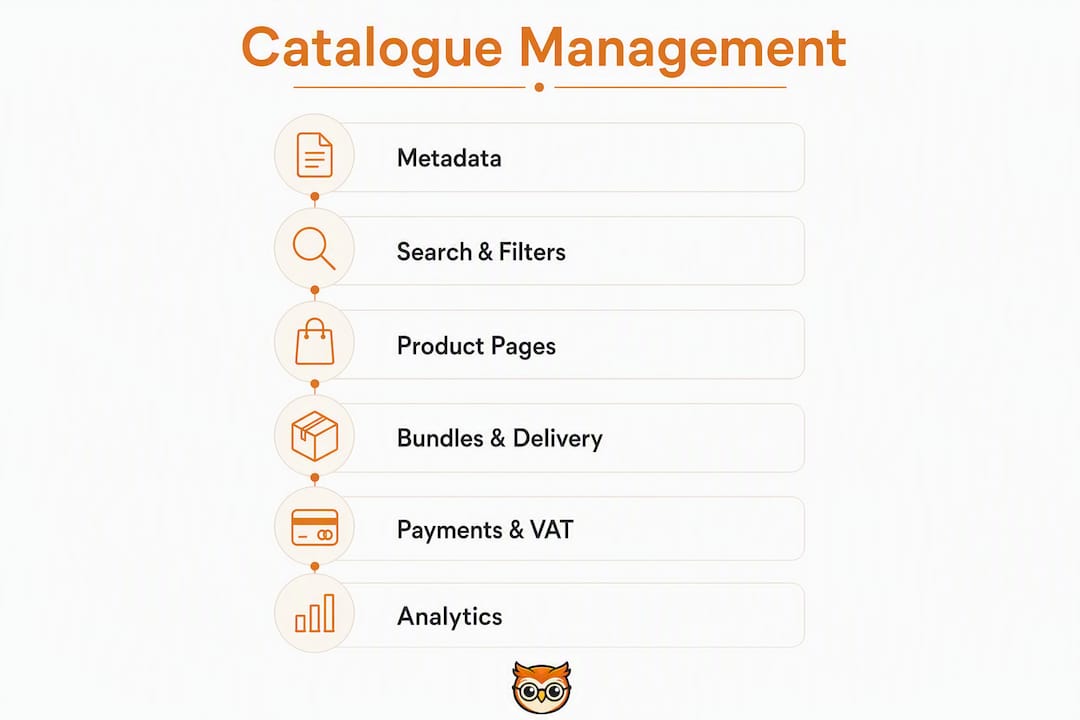
The right set of tools for managing bibliographies and product catalogues does more than store files. It connects your product records to live listings, keeps versions consistent, and gives buyers enough information to purchase with confidence.

Metadata and taxonomy
Every product needs required fields: title, subtitle, format, audience level, version number, and at least one category tag. Organising references and metadata with a controlled vocabulary prevents the tag sprawl that makes search useless six months in. Bulk-edit workflows matter the moment you have more than twenty products.
Search, filters and sorting
Faceted search, where buyers filter by format, topic, price range and audience level simultaneously, is the difference between a catalogue that converts and one that frustrates. Synonym support (so "workbook" also surfaces "worksheet") catches the searches your taxonomy misses.
Product pages and previews
A product page needs an outcome statement, a clear list of included files, software requirements, a licence summary, and a preview. For ebooks, that means a sample chapter. For courses, a sample lesson and total running time. Sense Central notes that buyers need to verify what is included before purchase, and a missing preview is one of the most common reasons a visitor leaves without buying.
Collections, bundles and delivery controls
Grouping related products into bundles increases average order value, but only if the platform handles bundle pricing cleanly and flags which individual listings need updating when a bundle changes. Delivery should use secure, time-limited links or account-based access, with DRM options available for high-value content.
Payments, multi-currency and VAT
UK sellers must collect and report VAT correctly on digital products sold to UK and EU buyers. A platform that generates VAT-aware receipts and integrates with HMRC reporting expectations removes a significant compliance burden. Multi-currency checkout is non-optional if you sell to buyers outside the UK.
Analytics and import/export
Sales by product, conversion rate by listing, and stale-listing alerts are the three reports that actually change decisions. CSV import/export and webhook or Zapier support determine how well the tool fits your existing workflow.
Pro Tip: Before signing up for any platform, ask the vendor two questions: "How do I update a product across all listings at once?" and "How does the platform handle UK VAT on digital sales?" Vague answers to either are a red flag.
How should you structure a catalogue that converts?
A narrow product promise is the first principle of a catalogue that works. Buyers who land on a focused library of, say, business writing templates for freelancers convert at a higher rate than buyers who land on a general "resources" page with fifty unrelated products.
Here is a practical structure to follow:
- Define three to five top-level categories based on buyer job-to-be-done, not your internal folder structure. "Ebooks for new managers" is a category. "Resources" is not.
- Use tags for cross-cutting attributes such as format (PDF, video, template), difficulty level and topic. Tags supplement categories; they do not replace them.
- Keep taxonomy shallow. Two levels maximum: category, then subcategory. Deeper hierarchies confuse buyers and are harder to maintain.
- Add breadcrumbs and empty-state messaging. When a filter returns no results, tell the buyer what to try next. A dead end with no guidance is a lost sale.
- Build every product page around an outcome statement. "After this course, you will be able to write a business case in under two hours" outperforms "Business writing course" every time.
- Include a 'start-here' file in every download package. Packaging a start-here document with access links, version information and troubleshooting notes reduces support queries and makes the buyer's first five minutes straightforward.
- Show licence terms visibly. Buyers of educational content need to know whether they can share, adapt or resell. Hiding this information creates post-purchase disputes.
A minimal product record should include: title, version number, format, file size, audience level, outcome statement, included files list, software requirements, licence type, preview asset, and category/tag assignments.
Maintenance signals matter as your library grows. A "needs update" flag on any listing where the master file version does not match the live listing version prevents the slow drift that makes large catalogues unreliable.
How to implement a managed catalogue: a UK-focused checklist
A realistic migration or launch runs across three phases, each taking roughly one to two weeks.
Phase 1: Preparation (weeks 1–2)
- Audit every master file: title, format, version, current listing URLs and price.
- Build a Creator Product OS, a single document or workspace that links each product to its master file, all platform listings, version history and support notes. A Notion-based Creator Product OS is one well-documented approach.
- Agree on versioning rules before you import anything. Decide what triggers a version increment and record it.
Phase 2: Import and testing (weeks 3–4)
- Map your CSV fields to the platform's metadata schema before uploading.
- Check every image and asset file for correct dimensions and file size.
- Generate previews and verify they display correctly on both desktop and mobile.
- Run a full customer journey test: find the product, read the page, complete checkout, receive the delivery link, and open the file. Time the first five minutes.
- Test delivery link expiry and account-based access if the platform supports it.
Phase 3: Soft launch and monitoring (weeks 5–6)
- Configure multi-currency pricing and confirm UK VAT is applied correctly. Check HMRC's guidance on VAT on digital services to confirm your obligations before going live.
- Verify PCI-compatible payment processing is active.
- Monitor stale-listing alerts and conversion by product for the first two weeks.
Common migration pitfalls: broken delivery links caused by copying URLs before the platform has processed the file; duplicate product copies created when a re-upload is treated as a new listing; and inconsistent version numbers when the master file is updated but listings are not.
On-domain storefronts that keep buyers inside the seller's checkout flow tend to preserve trust signals and first-party attribution, which matters for conversion tracking.
How Bibliowlteca meets these needs for UK creators
Bibliowlteca is built for exactly this use case: a creator or educator with a growing library of ebooks, courses and digital products who needs a marketplace that handles the operational complexity so they can focus on content.
Feature mapping:
- Catalogue and metadata: product pages with configurable fields, category and tag assignment, and bundle grouping
- Previews and delivery: secure digital delivery with access controls, course hosting with video and quizzes, and preview options for ebooks
- Payments and VAT: multi-currency checkout and tax-aware receipts designed for global sales, including UK VAT handling
- Analytics: sales tracking and product-level performance reporting
| Need | Bibliowlteca capability |
|---|---|
| Single source of truth | Centralised product records with listing management |
| Secure delivery | Access-controlled download links and course hosting |
| UK VAT compliance | Tax-aware receipts and multi-currency checkout |
| Previews | Ebook and course preview tools built into product pages |
| Analytics | Sales and conversion reporting per product |
| Bundles | Bundle creation and pricing within the marketplace |
The platform operates on a transaction-fee model: Bibliowlteca takes a percentage and fixed fee from each completed sale. There are no monthly subscription fees to cover before you make your first sale, which suits creators who are building their catalogue incrementally.
For implementation, the practical next step is to publish one ebook or course on Bibliowlteca, enable previews, run the first-five-minutes checklist, and monitor analytics for two weeks before migrating your full catalogue.
Key takeaways
A single source of truth for your product records, combined with a platform that handles delivery, payments and VAT, is the foundation every UK creator needs before scaling a digital catalogue.
| Point | Details |
|---|---|
| Audit before you migrate | List every title, version and listing URL before touching any platform. |
| Single source of truth | A Creator Product OS prevents inconsistent versions and broken listings as your catalogue grows. |
| First five minutes test | Run a full buyer journey from search to file open before going live; it catches most critical errors. |
| UK VAT compliance | Confirm VAT handling with HMRC guidance before your first sale to UK or EU buyers. |
| Pilot with Bibliowlteca | Publish one product on Bibliowlteca, enable previews and check analytics for two weeks before a full migration. |
What creators consistently get wrong about catalogue management
The mistake most creators make is treating their product catalogue as a filing system rather than a sales system. A folder of PDFs organised by date is not a catalogue. A catalogue is a set of buyer-facing records, each of which answers three questions before the buyer has to ask: what will I be able to do after this, what exactly is included, and what are the terms?
The second mistake is skipping the Creator Product OS entirely and managing listings directly on each platform. That works for three products. At fifteen, you will have at least two listings showing an outdated version, one broken preview, and a support queue full of questions the start-here file would have answered. Building a reference management habit from the start, whether for citations in your ebooks or for your product records themselves, is the same discipline applied at different scales.
The practical recommendation: before you add your next product, spend one hour building the OS. Link the master file, record the version number, and write three bullet points of troubleshooting notes. That hour compounds.
Ready to pilot your catalogue on Bibliowlteca?
Publishing your first product on Bibliowlteca takes less time than most creators expect, and the operational infrastructure, VAT-aware checkout, secure delivery, multi-currency payments, and product analytics, is ready from day one. There is no monthly fee standing between you and your first sale.

Pick one ebook or course, upload it to Bibliowlteca's marketplace, enable the preview, and run the first-five-minutes checklist. Check your analytics after two weeks. That two-week pilot will tell you more about your catalogue's conversion gaps than any amount of planning.
For onboarding support and feature details, visit the Bibliowlteca features page.
Useful sources for UK creators
- HMRC: VAT on digital services — primary guidance on VAT obligations for UK sellers of digital products to UK and EU buyers
- Build bibliographies with ease: a practical guide for educators — Bibliowlteca guide on organising references and publication lists within educational products
- Why bibliographies matter for credible content — credibility signals for academic-style ebooks and course materials
- How to organise scholarly resources — taxonomy and organisation methods for scholarly digital products